Finding a reliable professional for plumbing, electrical repairs, carpentry, appliance installation, painting, cleaning, or other household tasks can be difficult. Customers often need to search through multiple service providers, compare prices, check availability, and coordinate appointments before getting the work done.
An Uber-like handyman app simplifies this process by bringing customers and service professionals onto one digital platform. Customers can find nearby professionals, book services, select a convenient time, track the service provider, make payments, and leave reviews from a single application.
For businesses, this model creates a marketplace where multiple handymen can offer different services while the platform manages bookings, payments, commissions, users, and service operations.
This guide explains how a handyman app like Uber works, its essential features, business models, monetization methods, development process, and estimated development considerations.
What Is a Handyman App Like Uber?
A handyman app like Uber is an on-demand home services marketplace that connects customers who need household services with professionals who can perform those jobs.
Instead of customers contacting individual plumbers, electricians, carpenters, cleaners, painters, or repair technicians, they can use one application to discover and book available professionals.
A typical platform includes three primary components:
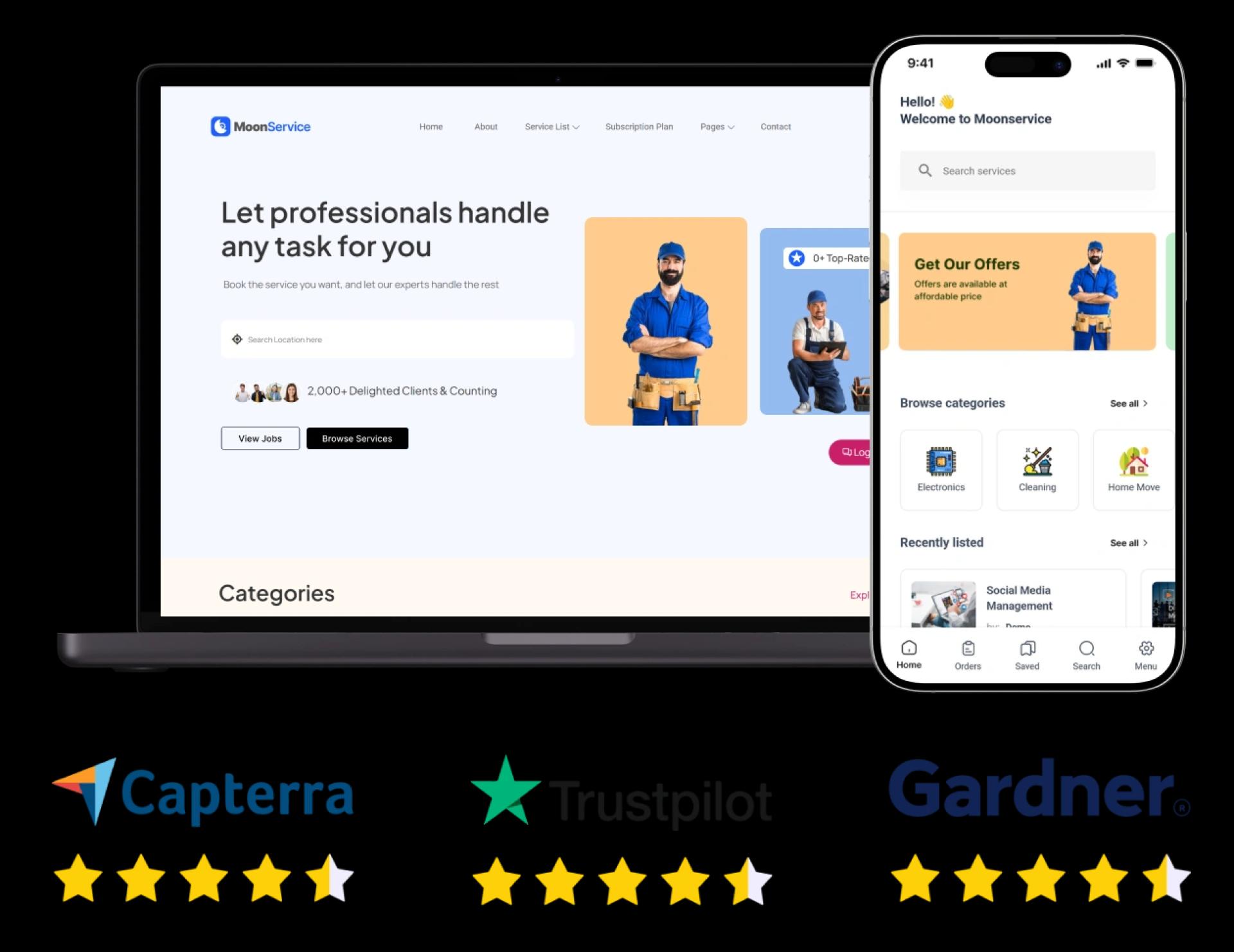
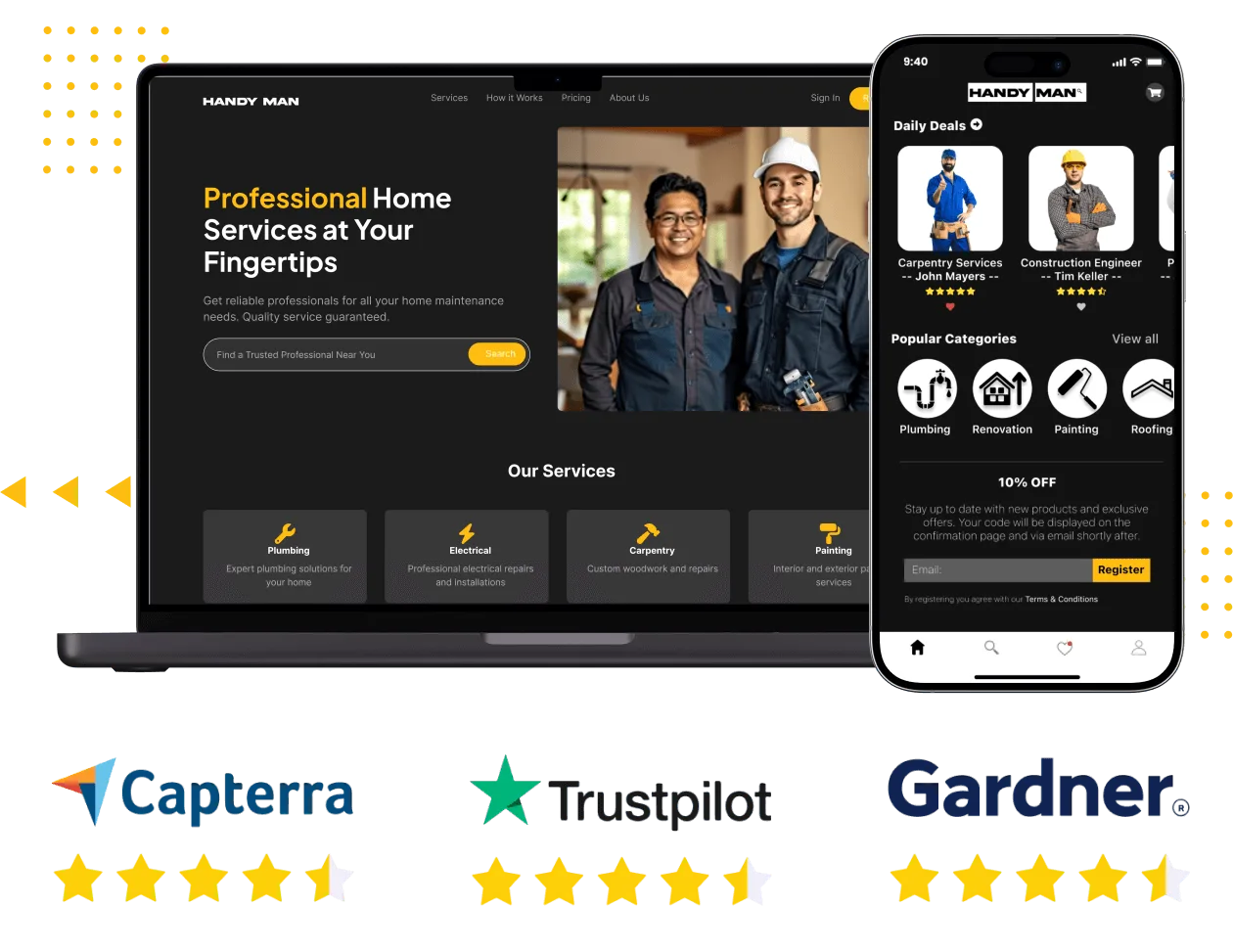
- Customer app – Used to search for services, place bookings, make payments, track professionals, and provide reviews.
- Service provider app – Used by handymen to receive jobs, manage schedules, communicate with customers, and monitor earnings.
- Admin panel – Used by the business owner to manage users, professionals, bookings, payments, commissions, services, and platform activity.
The exact workflow can vary depending on whether the platform operates as a single-service business, multi-service marketplace, or managed home-services company.
How Does an Uber-Like Handyman App Work?
The basic workflow is similar to other on-demand service marketplaces.
1. Customer Creates an Account
Customers register using their basic information and create a profile. Depending on the platform, they may also save addresses, payment details, and service preferences.
2. Customer Selects a Service
The customer chooses the required service, such as:
- Plumbing
- Electrical repair
- Carpentry
- Painting
- Appliance repair
- Furniture assembly
- Cleaning
- Installation
- Home maintenance
A search and filtering system can help customers find relevant services and professionals in their area.
3. Customer Provides Job Details
The customer can describe the task, select a service category, add photographs if necessary, and provide the location where the work needs to be performed.
For complex jobs, the platform can also support custom service requests or quote-based bookings.
4. Customer Chooses a Professional or Sends a Request
Depending on the business model, customers may either select a professional directly or submit a service request that is matched with available providers.
Factors such as location, availability, service category, rating, price, and previous performance can be used to improve matching.
5. Professional Accepts the Job
The service provider receives the request and can review the job information before accepting it.
The provider can then manage the appointment through their application.
6. Customer Tracks the Service
Once the booking is confirmed, real-time location tracking can allow customers to monitor the professional's journey and estimated arrival.
This is particularly useful for scheduled or on-demand services. The Oyelabs solution includes real-time tracking as part of its handyman marketplace functionality.
7. Service Is Completed
The handyman arrives at the customer's location and completes the requested work.
The platform can update the booking status throughout the service lifecycle.
8. Customer Makes Payment
Customers can pay through the payment methods supported by the platform and its payment gateway.
Digital receipts and transaction records can also be maintained within the system.
9. Customer Leaves a Review
After completion, customers can rate the professional and provide feedback.
Ratings and reviews can help future customers evaluate service providers while giving administrators information about service quality.
What Features Should a Handyman App Like Uber Have?
The feature set depends on the target market and business model, but an effective platform generally needs functionality for customers, service providers, and administrators.
Customer Features
Service Search and Discovery
Customers should be able to browse available services and find professionals based on their requirements.
Search filters can include:
- Service category
- Location
- Availability
- Price
- Rating
- Distance
Easy Booking
The booking process should require as few steps as possible. Customers should be able to select a service, provide job details, choose a time slot, and confirm the booking.
Flexible Scheduling
Not every handyman requirement is urgent. Customers should be able to schedule services for a future date and time.
The platform can support both immediate requests and scheduled appointments.
Real-Time Tracking
GPS-based tracking allows customers to see the professional's location after a booking has been accepted.
This gives customers greater visibility into the service journey.
Multiple Payment Options
A handyman marketplace can integrate one or more payment gateways based on the target market.
Payment functionality can include:
- Credit and debit cards
- Digital wallets
- Other locally supported payment methods
- Online payment gateways
Order History
Customers can access previous bookings, invoices, service details, and transaction records.
This can also make repeat bookings easier.
Ratings and Reviews
Customers can rate service providers after completing a job. Reviews can help build trust and provide useful feedback.
In-App Communication
Chat or other communication functionality can allow customers and professionals to clarify job requirements, arrival details, or other information.
Notifications
Push notifications can inform customers about:
- Booking confirmation
- Professional acceptance
- Appointment reminders
- Provider arrival
- Booking cancellation
- Payment confirmation
- Promotional offers
Features for Handyman Service Providers
The professional side of the platform is equally important because providers need tools to manage their work efficiently.
Provider Registration
Handymen can create profiles containing information such as:
- Name
- Service categories
- Experience
- Service area
- Availability
- Pricing
- Ratings
- Profile image
Businesses can also implement verification processes based on their market and operational requirements.
Job Management
Providers should be able to view incoming, active, completed, and cancelled jobs from a single dashboard.
Job Acceptance and Rejection
Professionals can review requests and accept or decline them depending on their availability and service requirements.
Schedule Management
Providers can manage their working hours and upcoming appointments.
This helps reduce scheduling conflicts.
Route Optimization
Route optimization can help professionals identify efficient routes between their current location and customer locations.
The current Oyelabs solution includes route optimization functionality for service providers.
Earnings Dashboard
Providers can view completed jobs, earnings, commissions, bonuses, and other financial information.
Instant Notifications
Providers can receive alerts for new bookings, cancellations, reminders, and other platform updates.
Ratings and Feedback
Professionals can view customer ratings and feedback to understand their service performance.
Admin Features for a Handyman Marketplace
The administrator controls the marketplace and manages its overall operations.
Admin Dashboard
A centralized dashboard can display information about:
- Customers
- Service providers
- Bookings
- Revenue
- Commissions
- Payments
- Service categories
- Platform activity
Customer Management
Administrators can manage customer profiles, booking histories, account status, and other relevant information.
Service Provider Management
Admins can approve, manage, suspend, or update provider accounts according to the platform's policies.
Service Category Management
The business owner can create and manage categories such as plumbing, electrical work, cleaning, painting, carpentry, and appliance repair.
Booking Management
Admins can monitor ongoing and completed bookings and intervene when there are disputes or operational issues.
Commission Management
The platform can define commission structures and manage the distribution of payments between the marketplace and service providers.
Payment Management
Administrators can monitor transactions, refunds, payouts, and other payment-related activities.
Content Moderation
Moderation functionality can help administrators manage user-generated content, reviews, profiles, or other content submitted to the platform.
How Does a Handyman Marketplace Make Money?
A handyman marketplace can use one or several monetization strategies.
1. Commission on Each Booking
The platform charges a percentage of the transaction value for every completed service.
For example, if a customer pays $100 and the platform charges a 15% commission, the marketplace receives $15 before applicable fees and adjustments.
This is one of the common approaches for multi-provider marketplaces.
2. Customer Booking Fee
The platform can add a fixed or variable service fee to customer bookings.
The fee can depend on factors such as service type, location, booking value, or urgency.
3. Service Provider Subscription
Professionals can pay a recurring fee to access premium marketplace features.
Possible subscription benefits include:
- More booking visibility
- Advanced analytics
- Promotional placement
- Additional profile features
- Business insights
4. Featured Listings
Service providers can pay to receive greater visibility within relevant searches or category pages.
5. Advertising
Businesses related to home improvement and maintenance can advertise products or services through the platform.
6. Lead Generation
The marketplace can charge professionals for qualified customer leads.
This model can be particularly relevant when customers request quotes from multiple professionals.
The appropriate monetization strategy depends on whether the platform operates as a multi-service marketplace, specialized provider platform, or another type of home-services business.
What Business Models Can a Handyman App Follow?
There isn't a single business model for an on-demand handyman application.
Multi-Service Marketplace
The platform allows independent professionals across multiple categories to register and offer services.
For example, customers could use the same app to find a plumber, electrician, painter, cleaner, or carpenter.
This model can generate revenue through commissions, subscriptions, advertisements, featured listings, or lead generation.
Single-Service Marketplace
The platform focuses on one category.
Examples include:
- Plumbing marketplace
- Electrical services marketplace
- Cleaning marketplace
- Appliance repair marketplace
This approach can simplify the initial service offering and allow the business to specialize in one market.
Managed Service Model
Instead of allowing completely independent providers to operate freely, the company can recruit and manage its own network of professionals.
The platform then controls more aspects of pricing, quality, scheduling, and service delivery.
How to Build a Handyman App Like Uber
Building the platform involves more than creating a mobile application. The marketplace needs customer workflows, provider operations, administration, payments, location services, and security.
A typical development process can be divided into several stages.
Step 1: Define the Business Model
First determine:
- Which services will be offered?
- Who are the target customers?
- Which locations will be served?
- Will professionals set their own prices?
- Will customers book directly or request quotes?
- How will the platform earn revenue?
These decisions influence the features and architecture of the application.
Step 2: Identify User Roles
Define the requirements for each user type.
At minimum, a marketplace normally requires:
Customer → Service Provider → Admin
Additional roles can be introduced as the platform grows.
Step 3: Design the User Experience
Create wireframes and interface designs for the major workflows, including registration, service discovery, booking, tracking, payment, and reviews.
The goal is to make the booking process straightforward for customers while providing professionals with efficient job-management tools.
Step 4: Develop the Platform
Development can cover:
- Customer application
- Provider application
- Admin dashboard
- Backend
- Database
- APIs
- Payment integration
- Maps and location services
- Notification systems
A ready-made solution can reduce the amount of initial development required because core marketplace functionality is already available.
Step 5: Integrate Third-Party Services
Depending on the business requirements, integrations may include:
- Payment gateways
- Maps
- GPS/location services
- Push notifications
- SMS
- Analytics
- Customer support
- Identity verification
Step 6: Test the Application
Testing should cover:
- Registration
- Service search
- Booking
- Scheduling
- Provider acceptance
- GPS tracking
- Payments
- Notifications
- Reviews
- Admin operations
- Security
- Performance
Step 7: Launch and Improve
After deployment, monitor customer behavior, booking completion rates, provider activity, cancellations, reviews, and other operational metrics.
The platform can then be improved by adding new services, integrations, automation, or AI functionality.
How Much Does It Cost to Build a Handyman App Like Uber?
The cost depends heavily on the type of platform being developed.
A basic application with a limited number of features will have different development requirements from a multi-service marketplace with iOS, Android, web, real-time tracking, payment integrations, advanced dashboards, and custom workflows.
The major cost factors include:
- Number of platforms
- UI/UX requirements
- Number of user roles
- Booking complexity
- Real-time tracking
- Payment gateways
- Third-party integrations
- Custom features
- Admin functionality
- AI integrations
- Security requirements
- Testing and maintenance
Businesses can generally choose between building from scratch and using a ready-made or white-label solution.
A ready-made platform can reduce the initial development workload because core functionality such as booking, provider management, tracking, payments, and administration can already be available. Oyelabs' current Uber for Handyman solution is positioned as a customizable white-label platform and lists a starting price of $2,999.
The final cost should therefore be evaluated based on the required customization rather than using a single fixed development figure.
Ready-Made vs. Custom Handyman App Development
FactorReady-Made SolutionCustom DevelopmentInitial development timeUsually shorterUsually longerStarting costGenerally lowerGenerally higherCustomizationAvailable depending on solutionExtensiveCore featuresPre-builtBuilt from scratchBrandingCan be customizedFully customIntegrationsCan be addedBuilt according to requirementsScalabilityDepends on architectureDesigned around requirementsLaunch approachFaster deployment possibleRequires complete development cycleFor businesses testing a new market, a ready-made solution can provide a way to launch with established marketplace functionality and then add custom capabilities as requirements evolve.
What Technologies Are Required for a Handyman App?
A handyman marketplace typically requires several technology components rather than one programming language.
The technology architecture may include:
Mobile Applications
Native or cross-platform technologies can be used to build customer and provider applications for Android and iOS.
Backend
The backend manages:
- User accounts
- Bookings
- Services
- Payments
- Provider availability
- Notifications
- Transactions
- Platform rules
Database
The database stores information about users, providers, services, bookings, transactions, reviews, and other marketplace data.
Maps and GPS
Location technology supports nearby provider discovery, service areas, route optimization, and real-time tracking.
Payment Infrastructure
Payment gateways process customer transactions and can support provider payouts where required.
Cloud Infrastructure
Cloud hosting can provide the infrastructure required to run APIs, databases, storage, notifications, and other platform services.
Can AI Be Added to a Handyman App?
Yes. AI can be used to automate and improve different parts of a handyman marketplace.
Potential applications include:
Intelligent Service Matching
AI can help match customers with providers using factors such as service category, location, availability, ratings, and historical data.
Automated Customer Support
AI-powered chat systems can answer common questions and guide users through booking processes.
Request Categorization
AI can analyze customer descriptions and identify the likely service category.
For example, a customer describing a leaking kitchen pipe could be directed toward plumbing services.
Personalized Recommendations
The platform can recommend relevant services based on previous bookings and customer behavior.
Demand Forecasting
Historical booking data can be analyzed to identify periods of higher demand and help businesses plan provider availability.
The current Oyelabs solution also lists AI functions as an optional add-on for its Uber for Handyman platform.
Challenges of Running a Handyman Marketplace
Launching the application is only one part of building the business.
Maintaining Service Quality
Different professionals may provide different levels of service. Ratings, reviews, verification, training, and quality-control processes can help manage this issue.
Balancing Supply and Demand
The platform needs enough professionals to serve customers while ensuring providers receive enough jobs to remain active.
Handling Cancellations
Customers or providers may cancel bookings. Clear cancellation policies and automated notifications can help manage these situations.
Managing Service Areas
A business may need to define geographical service zones and ensure professionals are available where customers are requesting services.
Building Customer Trust
Customers are allowing professionals into their homes, so trust is particularly important. Profiles, ratings, reviews, verification, transparent pricing, communication, and tracking can contribute to a more trustworthy experience.
Managing Payments and Payouts
The platform needs reliable payment processing and a clear mechanism for distributing earnings between the marketplace and providers.
What Can Make a Handyman App Successful?
A successful handyman marketplace needs more than a large feature list.
Important areas include:
Simple Booking
Customers should be able to request a service without navigating unnecessary steps.
Reliable Professionals
The quality of service providers directly affects customer satisfaction.
Transparent Pricing
Customers should understand the expected cost or pricing structure before confirming a service whenever possible.
Accurate Availability
Provider availability should be updated so customers don't book professionals who are already occupied.
Effective Communication
Customers and professionals need reliable ways to communicate about job requirements and arrival details.
Strong Marketplace Operations
The admin team needs tools to monitor bookings, providers, payments, complaints, and overall platform performance.
Final Thoughts
An Uber-like handyman app combines on-demand booking with a marketplace of home-service professionals. Customers can use the platform to find services, schedule appointments, track providers, pay online, and provide feedback, while professionals receive tools to manage jobs, schedules, routes, and earnings.
For businesses, the model can support multiple revenue streams, including commissions, booking fees, subscriptions, featured listings, advertising, and lead generation.
The right approach depends on the intended market, service categories, operating model, geographic coverage, and level of customization. Businesses can build the platform from scratch or begin with a customizable ready-made solution and expand its functionality as the marketplace grows.
Oyelabs' Uber for Handyman solution provides customer, service-provider, and admin functionality, along with booking, tracking, payments, scheduling, provider management, and optional add-ons such as AI, subscriptions, multilingual support, and marketing tools.