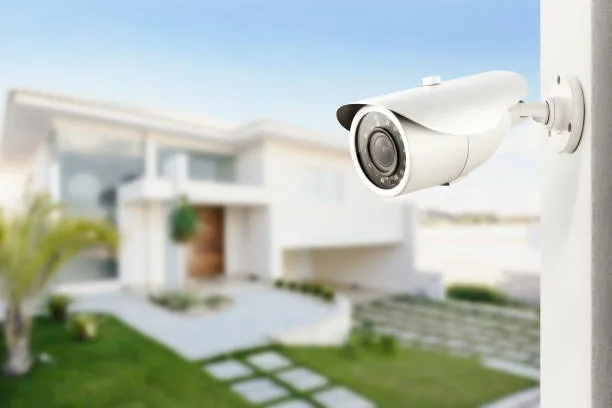
A modern home security setup can combine several different technologies to provide greater awareness around important entry points. While security cameras provide visual monitoring, sensors and alarms can add another layer by detecting activity and notifying homeowners when something changes.
An Eufy door sensor can be used to monitor compatible doors and entry points, while an alarm system can provide an audible or digital alert when selected security events occur. When these devices are combined with cameras, smart locks, and doorbells, they can form part of a more comprehensive Eufy security system.
Understanding how these devices work and where they can be used can help homeowners create a security setup suited to their property.
What Is an Eufy Door Sensor?
An Eufy door sensor is a compact security device designed to detect the opening and closing of a compatible door or entry point. The sensor typically consists of components positioned so that the system can determine whether the monitored entry point is open or closed.
When a monitored door changes state, the connected security system can respond according to its configured features. Depending on the specific product and setup, users may receive an alert through a compatible application or have the event incorporated into other security functions.
The exact capabilities depend on the sensor model and the Eufy ecosystem with which it is being used.
Why Door Sensors Are Useful
A camera can show what is happening around an entrance, but a sensor provides a different type of information. It can identify whether a monitored entry point has been opened.
This can be particularly useful for doors that are not constantly visible from a security camera. For example, a homeowner may install sensors on a back door, garage entrance, or side entrance while using cameras in other areas. Learn more about a connected doorbell for convenient monitoring at your entrance.
Using different types of security devices together can provide a more complete picture of activity around a property.
Important Places to Install Door Sensors
The most useful location for a door sensor depends on the home's layout and the entry points that need monitoring.
Common locations can include:
- Front doors
- Back doors
- Garage doors
- Side entrances
- Basement entrances
- Selected windows
- Other compatible access points
Homeowners should first identify which entry points are most important and then determine which devices are appropriate for each location.
How an Intruder Sensor Can Add Another Layer
An intruder sensor can provide another way of detecting activity, depending on the security products being used. Instead of relying exclusively on video footage, a connected sensor can provide an event notification when its monitored condition changes.
For example, a door sensor may detect that an entrance has been opened while a nearby camera provides video coverage of the same area.
This combination can be useful because the sensor identifies the event while the camera can provide additional visual context.
Understanding Alarm Systems
An alarm system is designed to alert users when selected security conditions occur. Depending on the equipment, an alarm may provide an audible notification, smartphone alert, or another type of response.
When connected to sensors, an alarm can respond when a monitored entry point is opened or another configured event occurs.
The exact behavior varies between systems, so homeowners should review the manufacturer's specifications and configuration options before installation.
How Door Sensors and Alarms Work Together
A door sensor and alarm system can perform different but complementary functions.
Consider a back door equipped with a compatible sensor. If the door is opened while the security system is configured to monitor it, the sensor can communicate the change to the connected system.
The system can then provide the appropriate notification or alarm response.
If a security camera is also positioned near the back door, the homeowner may be able to check the camera feed for additional information.
This layered approach can provide more information than relying on one device alone.
Connecting Sensors With a Smart Security System
Modern security equipment can often be used as part of a connected ecosystem. An Eufy security system may include cameras, doorbells, sensors, alarms, and smart locks, depending on the products selected.
The benefit of combining compatible devices is that each one can address a different security requirement. Discover a compact car vacuum for reaching narrow areas inside your vehicle.
For example:
- A doorbell camera can monitor the main entrance.
- An outdoor camera can monitor the driveway.
- A door sensor can monitor a back entrance.
- An alarm can provide an alert when a configured security event occurs.
- A smart lock can provide a connected method of managing access.
Before combining products, homeowners should confirm that the devices are compatible and support the desired functions.
Steps for Setting Up Eufy Door Sensors
Step 1 Identify the Entry Point
Choose the door or compatible entry point that needs monitoring. Consider areas that are important but may not already have adequate camera coverage.
Step 2 Check Product Compatibility
Review the sensor's specifications and compatibility information before installation. Different products may have different requirements.
Step 3 Prepare the Installation Area
Clean and prepare the relevant surfaces according to the manufacturer's installation instructions. The sensor components need to be positioned correctly for reliable operation.
Step 4 Install the Sensor
Mount the sensor components according to the supplied instructions. Correct alignment can be important for detecting changes between the open and closed positions.
Step 5 Connect the Sensor
Use the compatible Eufy application or security hub, where required, to add and configure the sensor.
Step 6 Name the Sensor
Give the device a descriptive name such as "Back Door" or "Garage Door." Clear names make notifications easier to understand.
Step 7 Test the Sensor
Open and close the monitored door several times and verify that the connected system correctly identifies the change.
Configuring an Alarm System
Once the sensors are installed, homeowners can configure their compatible alarm system according to their security requirements. Explore an eufy door sensor for monitoring when a door is opened or closed.
Settings may include which sensors are monitored, when alerts are generated, and which notifications are delivered.
It is important to test the configured system after making changes. A security device should not be assumed to work correctly without verification.
Combining Door Sensors With Cameras
A security camera system can complement door sensors by providing visual information.
For example, a sensor may indicate that the garage door has opened. A camera positioned toward the garage can then provide additional information about activity in that area.
Similarly, a door sensor at a back entrance can work alongside an outdoor camera covering the garden or pathway.
This combination creates different layers of information rather than expecting one device to handle every security function.
Using Sensors With Smart Locks
A connected smart lock can provide another layer of access management. Depending on the product, homeowners may be able to use a keypad, smartphone, or another supported method instead of relying exclusively on a conventional key.
A sensor can monitor whether a door is open or closed, while the smart lock manages access.
These functions are different, but they can complement one another in a connected home security setup.
Advantages of Eufy Door Sensors and Alarm Systems
Additional Entry Monitoring
Door sensors can monitor selected entry points and provide information about changes in their status.
Fast Notifications
Compatible systems can provide alerts when configured security events occur, helping users become aware of activity without continuously checking the system.
Simple Expansion
Homeowners can potentially add sensors to additional entry points as their security requirements change, provided the products are compatible.
Complementary Protection
Sensors, alarms, and cameras perform different functions and can be combined to provide multiple layers of monitoring.
Everyday Convenience
Connected notifications can make it easier to keep track of important doors and other monitored entry points while at home or away.
Things to Consider Before Installing Door Sensors
Not every door necessarily needs a sensor. Homeowners should first determine which entry points are important and whether those areas already have sufficient monitoring.
Battery requirements should also be considered for battery-powered sensors. Check the manufacturer's recommendations for battery replacement or charging.
Connectivity is another important factor. If the sensor communicates through a hub or wireless network, make sure the device can maintain a reliable connection from its installation location.
Finally, users should understand the notification settings and test the system regularly.
Maintaining Your Security System
Regular checks can help ensure that the system continues to operate as expected.
Periodically test doors and sensors to confirm that events are detected correctly. Check batteries where applicable and keep connected applications and device software updated when updates are available.
It is also useful to review which household members have access to the security account. Only authorized people should be given access to cameras, sensors, alarms, and smart locks.
Frequently Asked Questions
What does an Eufy door sensor do?
An Eufy door sensor is designed to detect changes in the status of a compatible door or entry point, such as when it is opened or closed. Compatible systems can use this information to provide notifications or other configured responses.
Can a door sensor work with an alarm system?
Compatible door sensors can be integrated with supported alarm systems. When a monitored door is opened, the system may generate an alert or alarm according to its configuration.
Where should I install a door sensor?
Common locations include front doors, back doors, garage entrances, side entrances, and other compatible entry points that require monitoring.
Is a door sensor the same as a security camera?
No. A door sensor detects the status of an entry point, while a security camera provides visual information. Using both can provide complementary information.
Can I use door sensors with security cameras?
Compatible devices can be used together as part of a broader security setup. A sensor can detect an entry event while a nearby camera can provide visual information about the area.
What is an intruder sensor?
An intruder sensor is a security device designed to detect a specified type of activity or change in its monitored environment. Its exact function depends on the particular sensor and security system.
Do I need an alarm if I already have cameras?
A camera and an alarm serve different purposes. Cameras provide visual monitoring, while alarms can provide audible or other notifications when configured security events occur. Homeowners can choose whether both are appropriate for their requirements.
Can door sensors be used on garage doors?
Compatible sensors may be suitable for certain garage doors, but the installation requirements depend on the specific product and door design. Always check the manufacturer's compatibility information.
Can door sensors be part of a home security system?
Yes. Door sensors can form part of a broader home security system alongside cameras, doorbells, alarms, and smart locks when the products are compatible.
How often should I test my door sensors?
Regular testing is a useful maintenance practice. Open and close monitored doors and verify that the connected system reports the expected status. Battery-powered sensors should also be checked for adequate battery levels. Consider an alarm system for adding alerts and monitoring capabilities to your home-security setup.
Conclusion
An Eufy door sensor can provide useful information about the status of important entry points, while an alarm system can add another method of notifying homeowners when configured security events occur. These devices do not replace cameras or other security equipment; instead, they can complement them.
A well-planned Eufy security system can combine door sensors, security cameras, doorbells, alarms, and smart locks according to the layout and requirements of a property. By selecting compatible products, positioning them correctly, configuring notifications, and testing the system regularly, homeowners can create a connected approach to monitoring their home's key entry points.