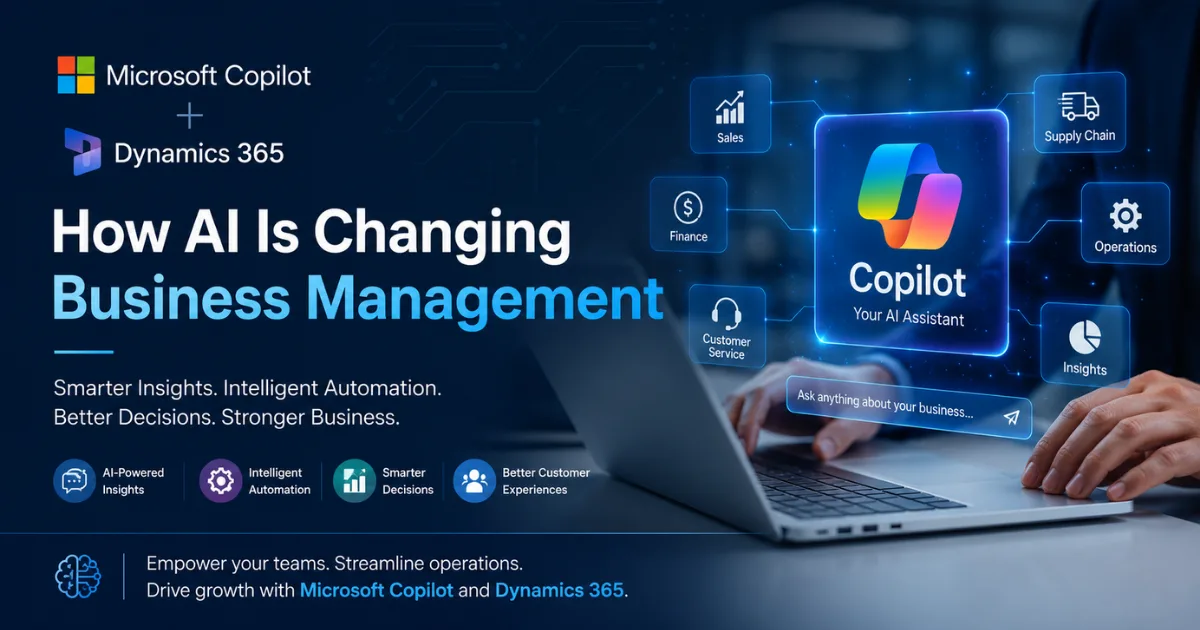
The way businesses are managed is changing—and AI is becoming part of everyday operations.
For years, businesses have relied on ERP and CRM systems to store information, manage processes, and keep different departments connected.
But there has always been one major challenge:
Having data is not the same as being able to use it effectively.
A business may have thousands of customer records, sales orders, invoices, inventory transactions, financial reports, and service requests inside its systems. Yet employees still spend hours searching for information, preparing reports, entering data manually, and trying to understand what action should be taken next.
This is where artificial intelligence is changing the way modern businesses operate.
Microsoft Copilot and Dynamics 365 are bringing AI directly into everyday business workflows—helping organizations move from simply managing data to understanding it, acting on it, and automating repetitive work.
Instead of asking employees to navigate multiple screens and reports, businesses can increasingly use natural language, intelligent recommendations, automation, and AI-powered agents to get work done faster.
For business leaders, this is not simply about adopting another technology trend.
It is about answering a much more important question:
How can we help our people spend less time managing work and more time creating business value?
Let's explore how Microsoft Copilot and Dynamics 365 are changing business management.
The Traditional Business Management Problem
Most growing businesses eventually face the same operational challenges.
Sales teams have customer information in one place.
Finance teams work with another system.
Operations teams depend on spreadsheets and reports.
Managers wait for data before making decisions.
Employees spend significant time on repetitive administrative tasks.
As the business grows, these challenges become more complicated.
Common problems include:
- Too much manual data entry
- Difficulty finding important information
- Delayed reporting
- Slow decision-making
- Repetitive administrative work
- Data scattered across multiple systems
- Limited visibility into business performance
- Employees spending time searching instead of solving problems
- Slow response to customers
- Difficulty turning business data into actionable insights
Traditional business software helped organizations digitize these processes.
But AI is taking the next step.
Instead of simply storing information, modern business systems can increasingly help people understand information and take action.
That is the fundamental shift happening with Microsoft Copilot and Dynamics 365.
What Is Microsoft Copilot in Dynamics 365?
Microsoft Copilot is an AI-powered assistant designed to help users work more efficiently.
Within Dynamics 365, Copilot can help users interact with business systems in more natural and intelligent ways.
Rather than relying entirely on traditional menus, filters, reports, and manual processes, users can receive assistance with tasks such as
- Finding information
- Summarizing records
- Analyzing business data
- Generating suggestions
- Automating repetitive activities
- Creating content
- Supporting decision-making
In Dynamics 365 Business Central, Microsoft describes Copilot as an AI-powered assistant designed to improve productivity, support creativity, and reduce tedious work. Current capabilities include chat, data analysis assistance, sales document suggestions, marketing text generation, and other AI-supported workflows.
The important point is this:
Copilot is not designed to replace your business system. It is designed to make your business system easier and more intelligent to use.
Your ERP and CRM continue to manage your business processes and data.
Copilot helps people interact with those processes and data more efficiently.
From Business Software to Intelligent Business Management
Traditional business management often follows this process:
Step 1: Collect Data
Sales transactions, invoices, customer information, inventory movements, and financial records are stored inside business systems.
Step 2: Create Reports
Employees and managers generate reports to understand what is happening.
Step 3: Analyze the Information
Teams manually review the reports and identify problems or opportunities.
Step 4: Take Action
Employees decide what should happen next.
This process can work well.
But it often requires a significant amount of manual effort.
AI introduces a different model:
Data → Insight → Recommendation → Action
Copilot can help reduce the time between these stages.
Instead of spending hours preparing information, employees can focus more on understanding the situation and making better decisions.
This is one of the biggest reasons AI is becoming increasingly important in modern ERP and CRM environments.
How Copilot Is Changing Business Management
1. Finding Business Information Becomes Easier
One of the biggest challenges inside large business systems is finding the right information.
Employees may need to search through:
- Customer records
- Sales orders
- Vendor information
- Invoices
- Inventory records
- Financial transactions
Traditional systems often require users to understand exactly where information is located.
AI can simplify that experience.
With natural-language interaction, users can ask for information in a more conversational way.
For example:
“Show me the customer information for this account.”
“Help me find the related sales order.”
“What information is available about this item?”
In Business Central, Chat with Copilot can help users find company data, locate records, and get assistance with tasks and features through natural-language interaction.
Business Impact
Employees spend less time navigating systems.
New users can learn processes more easily.
Information becomes easier to access.
Business systems become more user-friendly.
For growing organizations, this can help reduce the friction between employees and technology.
2. AI Can Help Turn Data Into Insights
Businesses collect enormous amounts of information.
But raw data alone does not improve decision-making.
The real value comes from understanding:
- What is happening?
- Why is it happening?
- What should we investigate?
- What action should we take?
This is where AI-powered analysis becomes valuable.
Copilot can help users work with business data using natural language rather than requiring everyone to be an expert in reporting tools.
For example, a business user may want to explore:
- Sales performance by category
- Inventory trends
- Customer purchasing behavior
- Financial patterns
- Operational performance
Business Central's analysis assistance can help users transform lists of records into more useful views using grouping, filters, pivots, totals, and other analysis options.
The Real Benefit
AI does not eliminate the need for business judgment.
Instead, it can help business leaders and employees get to the information they need faster.
That means less time preparing reports—and more time making decisions.
3. Sales Teams Can Spend More Time Selling
Sales teams often lose valuable time to administrative work.
Updating CRM records.
Searching for customer information.
Preparing documents.
Reviewing previous interactions.
Managing follow-ups.
AI can help reduce some of this workload.
Dynamics 365 is increasingly using AI capabilities to support sales teams with pipeline management, opportunity intelligence, recommendations, and access to relevant information. Microsoft's 2026 release plan describes expanded AI support intended to help sellers build pipelines, enrich opportunities, and accelerate deal closure.
For businesses, the goal is simple:
Reduce administrative work so sales professionals can spend more time building customer relationships.
This can help organizations create a more productive sales environment.
4. Finance Teams Can Reduce Repetitive Work
Finance departments manage some of the most important and repetitive business processes.
These may include:
- Invoice processing
- Bank reconciliation
- Accounts payable
- Financial analysis
- Payment tracking
- Month-end activities
Many of these processes require accuracy, consistency, and significant administrative effort.
Microsoft is increasingly introducing AI capabilities and agents that support finance-related workflows.
In Business Central, Copilot capabilities include assistance with bank reconciliation and other financial processes, while AI agents are being developed to automate specific workflows with human oversight. citeturn0search1turn0search5
For example, Microsoft's current Business Central roadmap describes the Payables Agent as supporting end-to-end accounts payable processes, including reading invoices, matching vendors and accounts, and preparing invoices for approval.
Why This Matters
The objective is not simply automation.
It is about helping finance teams focus on higher-value activities such as
- Financial planning
- Cash flow management
- Risk analysis
- Business strategy
- Performance improvement
AI can help reduce the operational burden associated with repetitive processes.
5. Customer Service Can Become More Intelligent
Customer expectations are increasing.
Customers expect faster responses.
They expect companies to understand their history.
They expect consistent service across different channels.
But customer service teams often struggle because information is scattered across multiple systems.
AI can help organizations make customer information more accessible and support employees with relevant insights.
Dynamics 365's broader AI strategy includes Copilot experiences and AI capabilities across customer-facing applications, with the goal of helping organizations connect data and workflows across sales, service, and other operations.
This can help businesses move toward a more connected customer experience.
Instead of asking employees to search through multiple systems, intelligent tools can help surface relevant information when it is needed.
6. AI Is Changing the Way ERP Systems Work
ERP systems have traditionally been systems of record.
They store the critical information required to operate a business.
For example:
- Finance
- Inventory
- Purchasing
- Sales
- Supply chain
- Operations
But modern ERP is evolving.
The next generation of ERP is becoming more intelligent.
Instead of simply recording what happened, AI-powered ERP can help businesses:
- Understand what is happening
- Identify patterns
- Simplify analysis
- Automate repetitive processes
- Support employees with recommendations
Microsoft's current Dynamics 365 strategy positions AI, Copilot experiences, and intelligent agents across ERP and CRM workflows to help organizations analyze information, automate tasks, and support decisions.
This represents an important evolution:
Traditional ERP
Store → Process → Report
Intelligent ERP
Store → Understand → Analyze → Recommend → Assist → Automate
That is the direction modern business technology is moving toward.
Copilot and AI Agents: What Is the Difference?
This is an important distinction for business leaders.
Copilot
Copilot works alongside employees.
The employee interacts with the AI.
Copilot provides:
- Answers
- Suggestions
- Analysis
- Assistance
- Generated content
The user remains actively involved in the process.
AI Agents
AI agents can take automation further.
They are designed to handle specific business processes with less continuous human interaction while maintaining appropriate transparency and oversight.
Microsoft describes agents in Business Central as autonomous AI workers that can handle tasks with minimal human input, particularly repetitive or ongoing processes.
Example
Imagine receiving hundreds of invoices.
A traditional process may require an employee to:
- Open the invoice
- Read the information
- Identify the vendor
- Match it with the appropriate records
- Enter information
- Prepare it for approval
An AI-supported process can automate parts of this workflow while keeping people involved in review and approval where required.
This is why AI agents are becoming an important part of the future of business automation.
The Biggest Advantage: AI Works Inside Business Workflows
One of the biggest concerns businesses have about AI is
“Where will our data go?”
“Will employees need to use another AI tool?”
“How do we manage security?”
The advantage of integrated AI is that businesses can use intelligence closer to the systems and workflows where work is already happening.
Microsoft states that Copilot capabilities in Business Central are designed around enterprise security, privacy, and compliance expectations. Copilot also inherits user permissions, meaning users should not gain access to data they are not already authorized to access. citeturn0search0turn0search13
This is an important consideration for organizations exploring enterprise AI.
AI adoption should not be separated from:
- Security
- Data governance
- User permissions
- Compliance
- Responsible AI practices
A successful AI strategy requires all of these elements.
Real Business Use Cases for Copilot + Dynamics 365
Let's look at how different departments can benefit.
For CEOs and Business Owners
Challenges
- Limited visibility
- Slow reporting
- Too much dependency on manual processes
- Difficulty connecting departments
AI Opportunity
Copilot and intelligent Dynamics 365 capabilities can help improve access to insights and reduce friction in business operations.
The result:
Faster access to information and better operational visibility.
For CFOs and Finance Teams
Challenges
- Manual reconciliation
- Invoice processing workload
- Financial data complexity
- Time-consuming reporting
AI Opportunity
AI can support repetitive financial workflows and help teams focus more on analysis and decision-making.
The result:
Less administrative work and more focus on financial strategy.
For Sales Leaders
Challenges
- Sales teams spend too much time on administration
- Customer information is difficult to manage
- Pipeline visibility can be challenging
AI Opportunity
AI-powered sales capabilities can help teams access information, improve pipeline management, and focus more attention on customer engagement.
The result:
More productive sales teams.
For Operations Teams
Challenges
- Manual processes
- Delayed information
- Disconnected workflows
AI Opportunity
Connected ERP workflows and automation can help reduce operational friction.
The result:
Faster and more efficient business processes.
For IT Leaders
Challenges
- Multiple disconnected applications
- AI governance concerns
- Security risks
- Integration complexity
AI Opportunity
A connected Microsoft ecosystem can provide a more structured approach to integrating business applications, data, automation, and AI capabilities.
The result:
A stronger foundation for digital transformation.
What Businesses Should Do Before Implementing AI
AI should not be implemented simply because it is trending.
The best results come when AI is connected to real business problems.
Before implementing Copilot and AI capabilities, businesses should ask:
1. Which Processes Consume the Most Employee Time?
Look for repetitive tasks.
Examples:
- Manual data entry
- Report preparation
- Invoice processing
- Searching for information
These are often strong opportunities for automation.
2. Is Your Business Data Reliable?
AI depends on data.
If your data is incomplete, inconsistent, or poorly structured, AI results may also be less useful.
Before scaling AI initiatives, organizations should review:
- Data quality
- Data ownership
- Data governance
- Access permissions
3. Where Will AI Create the Most Business Value?
Do not try to automate everything immediately.
Start with high-impact areas.
For example:
- Finance automation
- Sales productivity
- Customer service
- Reporting
- Operational workflows
4. Keep Humans in the Loop
AI should support people.
Businesses should establish appropriate review and approval processes—especially for important financial, operational, and customer-facing decisions.
The strongest AI strategy combines:
Artificial Intelligence + Human Intelligence
A Practical Roadmap for Businesses
For organizations considering Microsoft Copilot and Dynamics 365, a practical approach may look like this.
Phase 1: Assess
Identify:
- Business challenges
- Manual processes
- Data problems
- Automation opportunities
Phase 2: Build the Right Foundation
Ensure your business systems and data are properly structured.
A strong ERP or CRM foundation makes AI adoption easier.
Phase 3: Start with High-Value Use Cases
Choose a few processes where AI can create measurable value.
For example:
- Financial workflows
- Sales productivity
- Data analysis
- Customer information access
Phase 4: Measure Results
Track:
- Time saved
- Process efficiency
- User adoption
- Error reduction
- Business impact
Phase 5: Scale AI Strategically
Once the organization understands where AI delivers value, expand gradually.
This creates a more sustainable digital transformation strategy.
The Future of Business Management Is AI-Assisted
The future of business management is not about replacing people with AI.
It is about helping people work at a higher level.
Employees should spend less time:
- Searching
- Copying
- Entering
- Repeating
- Preparing
And more time:
- Thinking
- Creating
- Strategizing
- Building relationships
- Solving problems
Microsoft's 2026 Dynamics 365 direction shows continued investment in Copilot experiences and AI agents across CRM and ERP, including capabilities intended to automate business processes and connect insights with action.
The organizations that benefit the most from AI will not necessarily be the ones using the most AI tools.
They will be the organizations that use AI strategically.
Microsoft Copilot + Dynamics 365: The Bigger Picture
Microsoft Copilot and Dynamics 365 represent more than an AI feature.
They represent a shift in how businesses interact with technology.
Instead of employees adapting themselves to complicated systems, business software is becoming more capable of assisting employees.
Instead of spending hours searching for information, users can increasingly interact with systems more naturally.
Instead of manually handling every repetitive process, organizations can introduce intelligent automation.
Instead of waiting for reports, businesses can move closer to real-time insights and action.
That is the real transformation.
Final Thoughts
AI is changing business management—but successful adoption requires more than simply turning on a new technology.
Businesses need:
- The right strategy
- Reliable data
- Connected business systems
- Clear processes
- Strong security and governance
- The right implementation partner
Microsoft Copilot and Dynamics 365 can help organizations create a more intelligent and connected way of working.
From finance and operations to sales and customer engagement, AI can help reduce repetitive work, improve access to information, and support faster decision-making.
The question for business leaders is no longer simply:
“Should we use AI?”
The more important question is:
“Where can AI create the greatest value in our business?”
Organizations that answer that question strategically will be better positioned to build faster, smarter, and more efficient operations for the future.
Transform Your Business with AI-Powered Dynamics 365
At Cloudmonte Technologies, we help businesses explore and implement modern business solutions powered by Microsoft Dynamics 365, ERP, CRM, automation, and AI-driven technologies.
Whether your organization wants to improve financial management, streamline operations, strengthen customer relationships, or explore the potential of Microsoft Copilot and AI, the right strategy and implementation approach can make all the difference.
Ready to build a smarter, more connected business?
Connect with Cloudmonte Technologies to explore how Microsoft Dynamics 365 and AI-powered business solutions can support your digital transformation journey.