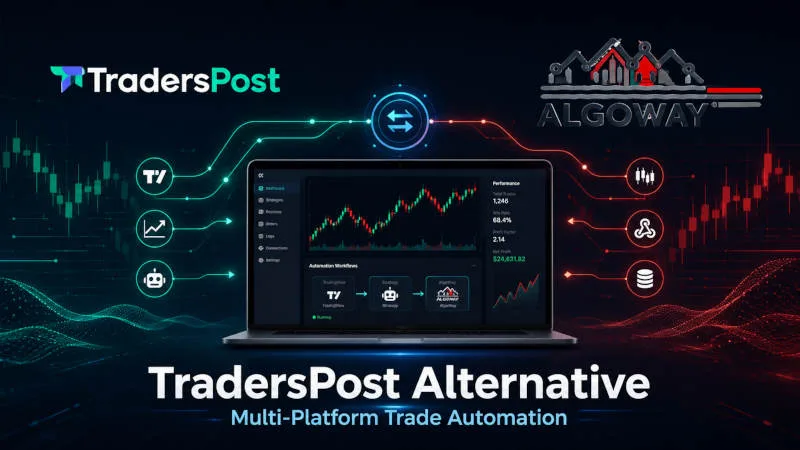
Trading automation has changed significantly over the last few years. Many traders originally adopted platforms like TradersPost because they wanted a practical way to connect TradingView alerts with broker execution. For a simple workflow, that can be enough.
But many traders now work in a much more complex environment. A signal may come from TradingView. Another signal may come from Telegram. Execution may need to go to MT5, cTrader, crypto exchanges, or prop firm platforms. This is why more traders are now searching for a TradersPost alternative that can support a broader automation workflow.
Why Traders Look for a TradersPost Alternative
The main reason is flexibility. A trader may use TradingView for analysis, MetaTrader 5 for forex execution, cTrader for a prop firm account, and Telegram for external trading signals. Managing this manually creates delays and mistakes.
Common problems include missed entries, wrong lot sizes, incorrect symbols, duplicated orders, and poor visibility when something goes wrong. In trading automation, the alert itself is only one part of the workflow. What happens after the alert is just as important.
From Basic Alerts to Structured Automation
A basic webhook can send data from one system to another. However, a real trading automation workflow needs more than message delivery.
The system should be able to read the incoming signal, validate the order parameters, understand the symbol, select the correct execution destination, and keep logs for later review. This becomes especially important when a trader works with several platforms or several funded accounts.
TradingView Webhook Automation
TradingView remains one of the most popular tools for charting, alerts, indicators, and strategies. Many traders want to keep TradingView as the signal source, but they do not want to execute trades manually.
A common workflow is:
TradingView alert → webhook automation layer → trading platform execution
This allows a trader to separate signal generation from execution. The trading idea can stay inside TradingView, while execution can happen on another platform.
MT5 and cTrader Workflows
MetaTrader 5 is still widely used for forex and CFD trading. cTrader is also common among retail and prop firm traders. Both platforms can be part of an automated workflow when alerts are processed correctly.
For MT5 users, automation may involve receiving external signals and passing them to an Expert Advisor for execution. For cTrader users, the workflow may involve routing structured signals into a supported execution environment.
The important point is that the trader should not have to rebuild the same logic separately for every platform.
Prop Firm Trading Automation
Prop firm traders often use platforms such as cTrader, TradeLocker, MatchTrader, and DxTrade. In this environment, execution consistency is very important.
Manual copying can create errors. A late entry, wrong symbol, or incorrect position size can affect account performance. Automation helps create a more controlled process, especially when the trader uses the same strategy across multiple accounts or platforms.
Telegram Signal Copier Workflows
Telegram is still one of the largest sources of trading signals. Many traders receive entries, stop losses, take profits, and updates directly inside Telegram groups or channels.
The problem is manual copying. A trader has to read the message, understand the symbol, check the direction, calculate the size, and place the order. This takes time and increases the risk of mistakes.
A more advanced workflow can receive Telegram signals, structure the message, and route the result to supported trading platforms.
How AlgoWay Fits into This Workflow
AlgoWay is an example of a trading automation solution built around routing, validation, and multi-platform execution workflows.
Instead of focusing only on one broker connection, AlgoWay can work with signals from TradingView and Telegram and route them toward supported execution environments such as MT5, cTrader, crypto exchanges, and prop firm platforms.
For traders researching a TradersPost alternative for MT5, cTrader and prop firm trading, this type of workflow can be useful because it focuses on the full automation chain, not only the alert.
What to Check Before Choosing an Automation Tool
Before choosing any automation platform, traders should check which platforms are supported, how symbols are handled, whether logs are available, how order actions are validated, and whether the tool can support their actual trading workflow.
The most important question is not only whether the tool can receive a webhook. The real question is whether it can process the signal correctly and send it to the right destination.
Frequently Asked Questions
What is a TradersPost alternative?
A TradersPost alternative is a trading automation solution that helps connect signal sources such as TradingView with execution platforms while offering a different workflow, platform support, or routing model.
Can TradingView alerts be connected to MT5?
Yes. TradingView alerts can be routed to MT5 through a supported automation layer and an execution component on the MT5 side.
Can TradingView alerts be connected to cTrader?
Yes. TradingView alerts can be processed and routed to cTrader when the automation solution supports that workflow.
Why do traders automate Telegram signals?
Traders automate Telegram signals to reduce manual work, avoid missed entries, and improve execution consistency.
Is multi-platform automation important for prop firm traders?
Yes. Many prop firm traders work across different platforms and accounts, so a flexible automation workflow can help reduce operational mistakes.
Final Thoughts
Trading automation is no longer only about sending a TradingView alert to one broker. Many traders now need routing, validation, symbol handling, logs, and support for multiple execution platforms.
This is why the search for a TradersPost alternative is often really a search for a more flexible trading automation workflow.