USB-C has quickly become one of the most useful connections in modern technology. From smartphones and laptops to tablets, headphones, gaming devices, and monitors, USB-C is now found on many everyday gadgets. Its reversible design, fast charging capabilities, high-speed data transfer, and ability to support different devices make it a convenient choice for tech users.
However, having a USB-C port is only the beginning. The right USB-C accessories can make your devices more useful, productive, and convenient. Whether you are a student, professional, gamer, content creator, or everyday gadget user, there are several USB-C accessories worth keeping in your tech collection.
Here are some of the most useful USB-C accessories every tech user should consider.
1. USB-C Charging Cable
A good USB-C cable is one of the most essential accessories for any tech user. While many devices come with a cable, having an extra one can be extremely useful at home, in the office, or while travelling.
USB-C cables can support different charging speeds and data-transfer rates, so it is important to choose one that matches your device. Some cables are designed mainly for charging, while others can handle high-speed data transfer and video output.
When purchasing a USB-C cable, check its power rating, data-transfer capability, durability, and compatibility with your devices. A strong, well-built cable can also help reduce the need for frequent replacements.
2. USB-C Wall Charger
A USB-C wall charger can significantly simplify your charging setup. Instead of carrying separate chargers for different gadgets, a modern USB-C charger can often charge smartphones, tablets, wireless earbuds, and even compatible laptops.
For users with multiple devices, a charger with multiple USB-C ports can be especially convenient. Some chargers also use GaN technology, which allows manufacturers to create compact chargers that can deliver substantial power.
Before buying one, check the power requirements of your devices. A phone may require considerably less power than a laptop, so choosing a charger with appropriate power output is important.
3. USB-C Power Bank
A USB-C power bank is an excellent accessory for people who frequently travel or spend long periods away from power outlets.
Many modern power banks can charge smartphones and other USB-C devices directly through a USB-C port. Higher-capacity models can also provide enough power for compatible tablets and laptops.
When choosing a power bank, consider its battery capacity, charging speed, size, weight, and power output. If you want to charge a laptop, make sure the power bank specifically supports the required USB-C power delivery output.
A compact power bank can be particularly useful during flights, road trips, college days, outdoor activities, and long working sessions.
4. USB-C Hub
Modern laptops are becoming thinner, and many models have fewer physical ports than older computers. This is where a USB-C hub becomes extremely useful.
A USB-C hub can expand a single USB-C port into several connections. Depending on the model, you may get USB-A ports, HDMI, Ethernet, SD card slots, microSD slots, and additional USB-C ports.
For professionals and students, a hub can make it easier to connect a keyboard, mouse, external storage, monitor, and other peripherals.
Content creators can also benefit from hubs with SD and microSD card readers because they make transferring photos and videos much easier.
5. USB-C to HDMI Adapter
If you regularly connect your laptop or tablet to an external monitor, television, or projector, a USB-C to HDMI adapter can be extremely useful.
These adapters allow compatible USB-C devices to send video to an HDMI display. They can be useful for presentations, watching content on a larger screen, gaming, and creating a multi-monitor workstation.
Before purchasing an adapter, check the maximum resolution and refresh rate it supports. Compatibility can vary between devices, cables, and displays.
6. USB-C Docking Station
A USB-C docking station is a more powerful option compared with a basic USB-C hub. It is especially useful for people who work from home or use a laptop as their primary computer.
A docking station can provide connections for monitors, Ethernet, USB devices, storage drives, headphones, and other peripherals through a single connection to your laptop.
For example, you could connect your laptop to a monitor, keyboard, mouse, external drive, and wired internet through the docking station. When you finish working, you may only need to disconnect one USB-C cable.
This makes docking stations particularly useful for creating a clean and organized desk setup.
7. USB-C External SSD
Storage is another area where USB-C accessories can make a major difference. External SSDs provide a convenient way to store, back up, and transfer large files.
Compared with traditional external hard drives, SSDs generally offer faster performance and have no moving mechanical parts. They are useful for photographers, video editors, students, professionals, and anyone who regularly works with large files.
When buying an external SSD, check the USB standard supported by both the drive and your computer. The actual transfer speed depends on the complete connection, including the device, cable, port, and storage drive.
8. USB-C Earphones and Headphones
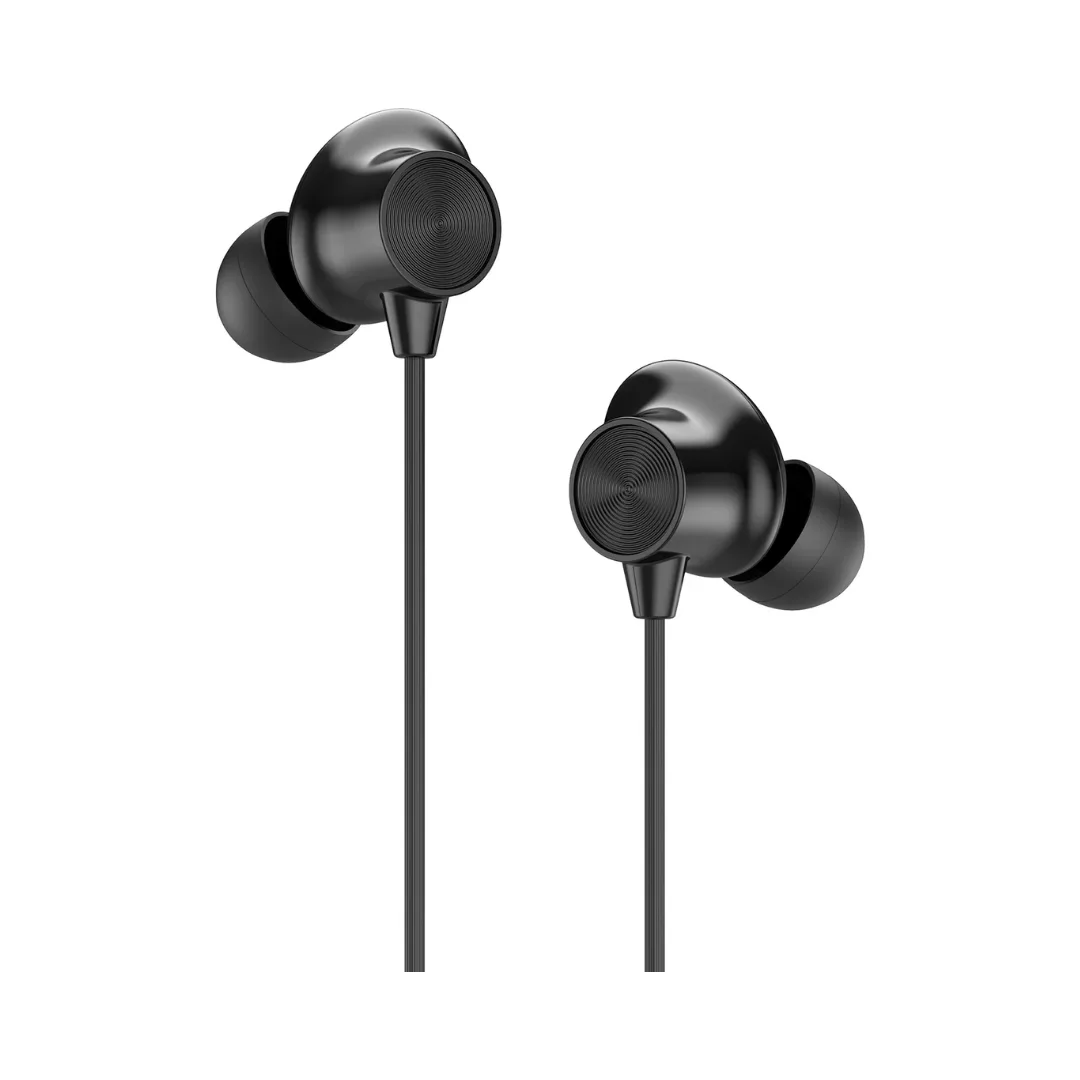
USB-C audio accessories are another option for people who prefer wired audio. Many newer smartphones and tablets no longer include a traditional 3.5mm headphone jack, making USB-C headphones or earphones useful.
USB-C audio devices can connect directly to compatible devices without requiring a separate headphone adapter. Some models are designed with features such as digital audio processing, microphones, and inline controls.
For users who want a simple wired setup, USB-C earphones can be a practical choice.
9. USB-C Card Reader
Photographers, videographers, and content creators often need to transfer files from memory cards to computers and tablets. A USB-C card reader can make this process quick and convenient.
Many card readers support SD and microSD cards, while some advanced models support additional memory-card formats.
A compact card reader can easily fit into a laptop bag or camera kit. It is particularly useful when you need to transfer high-resolution photos, videos, or other large files while travelling.
10. USB-C Car Charger
For people who spend a lot of time travelling by car, a USB-C car charger can be a useful accessory.
It allows you to charge compatible smartphones, tablets, and other gadgets while driving. Some models provide multiple ports, allowing passengers to charge their devices at the same time.
When selecting a car charger, check the power output and make sure it supports the charging standards required by your devices.
11. USB-C to USB-A Adapter
Despite the growing popularity of USB-C, many accessories still use the older USB-A connector. A small USB-C to USB-A adapter can help bridge the gap between newer devices and older peripherals.
For example, you may need to connect a USB-A flash drive, keyboard, mouse, or other accessory to a laptop that only has USB-C ports.
Because these adapters are small and inexpensive, they can be useful to keep in your laptop bag or travel pouch.
12. USB-C Cable Organizer
Having multiple USB-C cables and accessories can quickly create a messy workspace. A simple cable organizer can help keep everything together.
You can use a small tech pouch or cable organizer to store charging cables, adapters, memory cards, and other small accessories. This is especially helpful for people who frequently travel.
Keeping your accessories organized also makes it easier to find the correct cable when you need it.
How to Choose the Right USB-C Accessories
Not every USB-C accessory works exactly the same way. Before buying one, look beyond the USB-C label.
First, check power delivery support if you are buying a charger, cable, or power bank. A cable that physically fits your device may not necessarily support the charging speed you expect.
Next, check data-transfer speeds. USB-C describes the connector shape, not one single performance standard. Different USB generations can offer different speeds.
For video accessories, check display compatibility, including supported resolution and refresh rate.
Finally, consider build quality and certification. Reliable accessories from reputable manufacturers can provide better durability and compatibility.
Final Thoughts
USB-C has made it easier to connect, charge, and transfer data between modern devices, but the right accessories can make the experience even better. From basic charging cables and wall chargers to USB-C hubs, docking stations, external SSDs, card readers, and power banks, there are accessories for almost every type of tech user.
The best accessories for you will depend on how you use your devices. A student may benefit from a compact charger and USB-C hub, while a content creator may need an external SSD and card reader. A remote worker may prefer a docking station and monitor adapter, while a frequent traveller may find a power bank and cable organizer more useful.
Before buying any USB-C accessory, always check its power, speed, display, and compatibility specifications. Choosing the right accessories can help you get more functionality from your existing gadgets while keeping your everyday tech setup simple and organized.