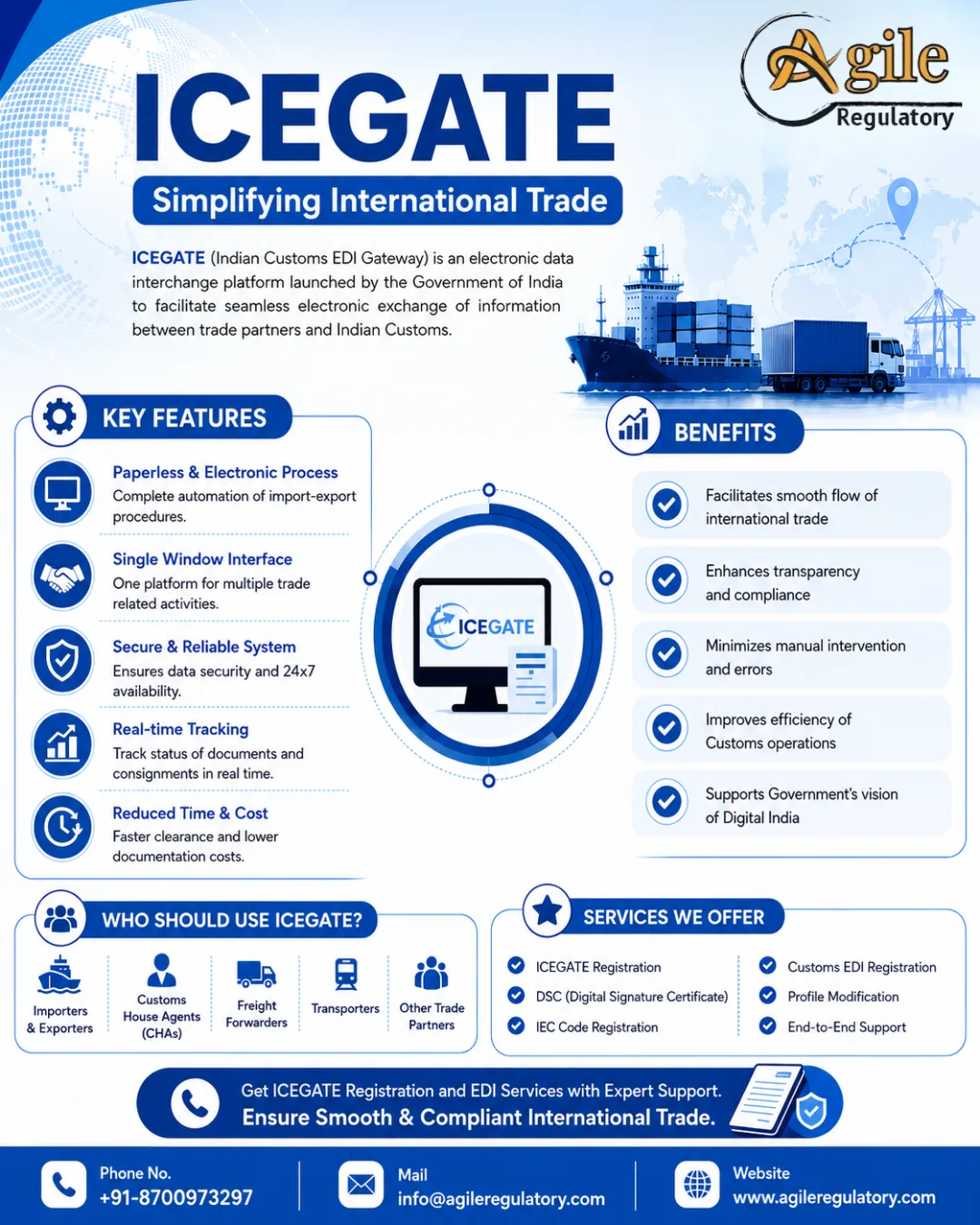
ICEGATE Registration is the process of registering on the Indian Customs Electronic Gateway for import and export activities. ICEGATE is the official portal for customs-related digital services.
The registration is required for importers, exporters, customs brokers and other trade participants who need access to customs services.
What Is ICEGATE?
ICEGATE stands for Indian Customs and Central Excise Electronic Commerce/Electronic Data Interchange Gateway. It is the national portal of Indian Customs managed by the Central Board of Indirect Taxes and Customs.
The portal serves as the primary interface between traders and the Indian Customs department. It enables customs e-filing, duty payment and trade documentation through a single digital platform.
ICEGATE registration is important because it provides legal access to the Indian Customs electronic system. Without a valid registration, businesses cannot file bills of entry, shipping bills or make customs duty payments online.
Why Is ICEGATE Registration Important?
ICEGATE registration is important because it streamlines trade operations between businesses and Indian Customs.
It eliminates the need for physical document submission and enables faster customs clearance. It also provides real-time tracking of import and export documents.
The portal supports electronic filing of bills of entry and shipping bills. It also facilitates online payment of customs duties through e-payment gateways.
Who Needs ICEGATE Registration?
ICEGATE registration is mandatory for a wide range of trade stakeholders.
Importers and exporters must register to access customs services. Customs house agents must register to file documents on behalf of clients.
Freight forwarders, shipping lines, airlines and port operators also need registration to submit manifests and other trade documents electronically.
Types of ICEGATE Registration
There are multiple types of ICEGATE registration, each designed for a specific category of trade stakeholder.
| Registration type | Applicable to | Prerequisite |
|---|---|---|
| IEC-based registration | Importers and exporters | Valid IEC code |
| CHA registration | Customs house agents | Valid CHA licence |
| Shipping line registration | Shipping companies | DGFT registration |
| Airline registration | Air cargo carriers | DGCA approval |
| Port or airport registration | Port operators | Ministry approval |
Choosing the correct registration type is the first and most critical step in the ICEGATE registration process.
ICEGATE Registration for Importers & Exporters
ICEGATE registration for importers & exporters is required to access customs-related digital services.
The applicant must provide business details, IEC information and contact details. After approval, the user can access the relevant customs services.
Importers and exporters should ensure that their IEC, PAN and GST details are accurate before registration. Any mismatch can delay approval or create issues during customs filing.
ICEGATE Registration Process
Step 1: Access the Portal
First, access the ICEGATE portal.
Enter the applicant’s business details and contact information.
Step 2: Select Registration Type
Next, select the appropriate registration category based on the business type.
The categories include IEC holder, CHA, shipping line, airline and port operator. Selecting the correct type ensures that the right application form is displayed.
Step 3: Fill Application Form
After selecting the category, complete the online application form.
Enter the business details, IEC information and other requested details. Ensure that all information matches the official business registration documents.
Step 4: Upload Documents and DSC
Upload the required documents in the prescribed format.
Attach the valid Class 3 digital signature certificate for electronic authentication. The digital signature is a mandatory component of the registration process.
Step 5: Submit and Get Credentials
Submit the application and track the status using the application number.
After successful submission, the system generates the registration certificate and login credentials. The applicant can then use these credentials to access customs services.
AD Code Registration on ICEGATE
AD Code Registration on ICEGATE is required for exporters who need to link their bank AD Code with the customs system.
The AD Code is issued by the bank and must be registered with the relevant customs location. This helps in processing export-related transactions.
Exporters should obtain the AD Code from their bank and ensure that it is linked to the correct port or customs location. Incorrect linking can delay export documentation and payment realisation.
ICEGATE E Sanchit
ICEGATE E Sanchit is the digital document-management system used for customs-related documents.
It allows users to upload and manage documents electronically. This reduces the need for physical document submission.
Businesses should maintain a clear folder structure for invoices, packing lists, shipping bills, bills of entry and other trade documents. This makes audits and future reference easier.
Documents Required for ICEGATE Registration
Common documents include:
- IEC certificate.
- PAN card.
- GST registration.
- Class 3 digital signature certificate.
- Address proof.
- Email ID and mobile number.
- Bank account details.
The exact document list depends on the user type and applicable customs requirements.
Applicants should ensure that the business name, address and IEC details match across all documents. Any mismatch can lead to queries or rejection.
Eligibility for ICEGATE Registration
Importers and exporters must hold a valid Import Export Code issued by DGFT before applying for ICEGATE registration.
A valid Class 3 digital signature certificate is also mandatory for completing the registration. The digital signature ensures secure electronic authentication of all customs filings and transactions.
Customs house agents must hold a valid CHA licence. Shipping lines, airlines and port operators must meet the applicable approvals and requirements.
Role of Digital Signature Certificate
The digital signature certificate is a critical component of the ICEGATE registration process.
It ensures the authenticity and integrity of all electronic filings made through the customs portal. It also provides legal validity to digital documents and transactions.
A Class 3 DSC is mandatory for all registrations and e-filings. It offers the highest level of security and is issued after thorough identity verification.
ICEGATE Registration Fees
The ICEGATE registration fee depends on the type of user registering on the portal.
| Registration type | Registration fee | Validity |
|---|---|---|
| IEC holder | Free | Permanent |
| CHA registration | Free | Permanent |
| Shipping line registration | Free | Permanent |
| DSC registration | Free | As per DSC validity |
While ICEGATE registration itself is free, obtaining a Class 3 DSC may involve additional charges. Professional assistance may also involve additional charges.
ICEGATE Portal Features
The ICEGATE portal offers a range of features designed to simplify customs compliance.
It supports electronic filing of bills of entry and shipping bills. It also supports online payment of customs duties through banking channels.
The portal provides real-time tracking of import and export consignments. It also includes modules for conditional duty exemptions and manifest filing.
ICEGATE vs IEC Registration
Many businesses confuse ICEGATE registration with IEC registration. Both are essential for import-export trade, but they serve different purposes.
| Parameter | ICEGATE registration | IEC registration |
|---|---|---|
| Purpose | Access to Indian Customs portal for e-filing | Legal authorisation to import or export goods |
| Issuing authority | CBIC or Indian Customs | DGFT |
| Prerequisite | Requires valid IEC code | Requires PAN and bank account |
| DSC required | Yes | No |
| Primary use | Customs e-filing and duty payment | Import-export trade authorisation |
ICEGATE registration is required to access the customs portal. IEC registration is required to legally import or export goods.
Common Errors in ICEGATE Registration
Common errors include DSC-related issues, IEC mismatch errors and portal login issues.
DSC errors may occur if the digital signature is expired or not properly installed. IEC mismatch errors may occur if the details entered do not match the DGFT database.
Portal login issues may occur due to incorrect credentials or browser compatibility problems. Always use an updated browser and ensure the DSC token is properly connected.
Conclusion
ICEGATE registration is essential for importers and exporters in India. The registration provides access to customs-related digital services and helps in trade compliance.
Before applying, ensure that the IEC, PAN, GST and bank details are accurate. After registration, maintain the profile and comply with customs requirements.
Frequently Asked Questions
Is ICEGATE registration mandatory for exporters?
Yes. ICEGATE registration is required for exporters who need to access customs-related digital services.
Is AD Code registration required on ICEGATE?
Yes. AD Code registration is required for exporters who need to link their bank AD Code with the customs system.
Can ICEGATE registration be done online?
Yes. ICEGATE registration can be done online through the official portal.