
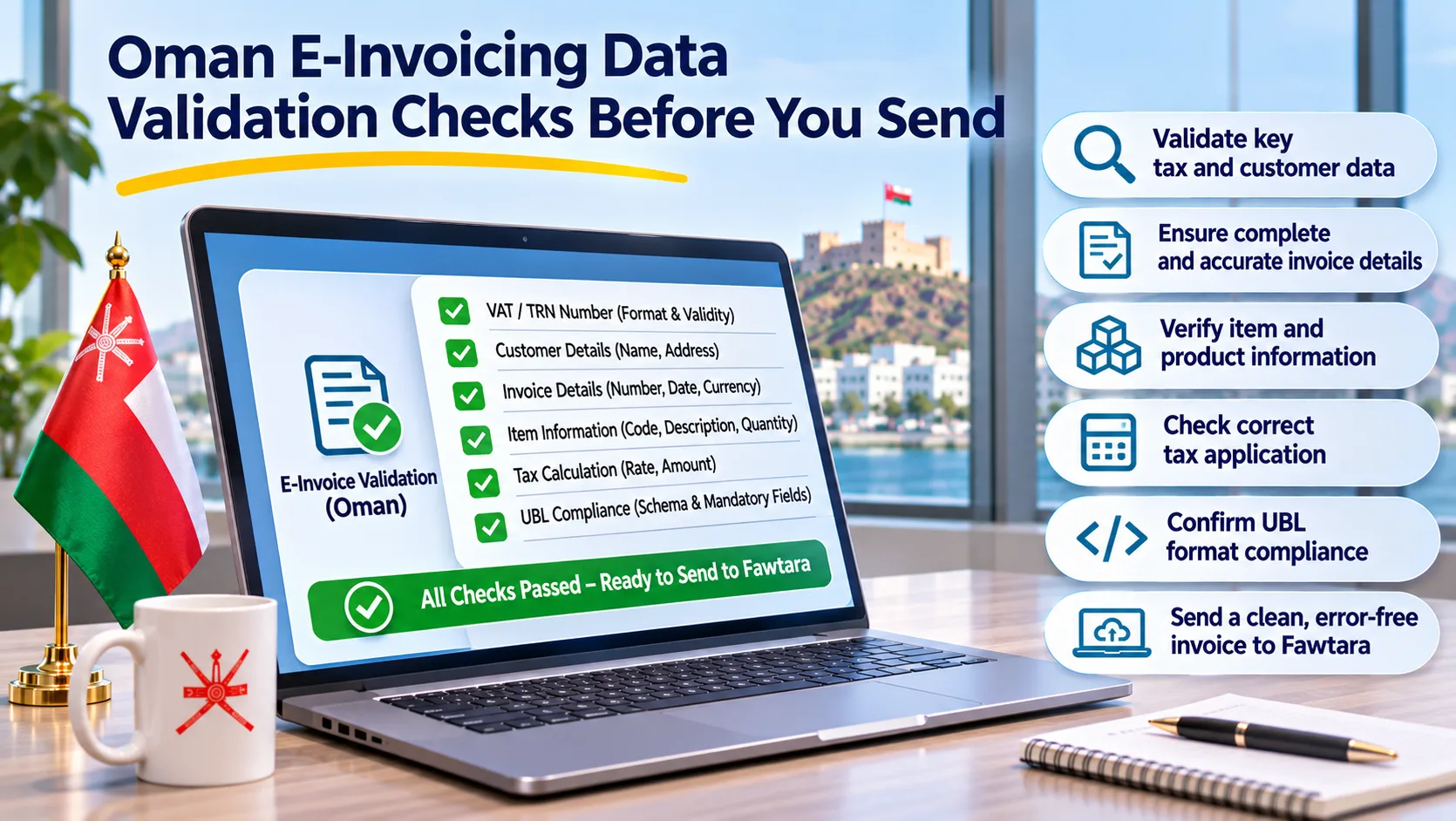
An electronic invoice can contain the correct total amount and still have data problems that prevent it from moving smoothly through the e-invoicing process. Missing customer details, incorrect tax classifications, invalid document references and poorly structured XML can all affect invoice processing. For businesses preparing for Oman's Fawtara programme, checking invoice information before submission is an important part of implementation readiness.
Oman e-invoicing data validation involves checking whether invoice information is complete, correctly mapped and structured according to the applicable technical requirements. Businesses should review these details before sending invoices through their accredited service provider, rather than waiting until an error appears during processing.
Validation should be treated as a regular control within the invoicing workflow. Finance teams can check business information and tax calculations, while IT teams can review field mapping, XML structure and integration behaviour. Working together helps identify problems at their source and reduces repeated corrections.
Why Data Validation Matters in Oman's Fawtara Process
Fawtara is Oman's national e-invoicing programme. Its five-corner model connects the supplier, supplier-side service provider, buyer-side service provider, buyer and Oman Tax Authority (OTA). Accredited service providers validate and exchange e-invoices between taxpayers and report specified tax data to the OTA.
Under the published OTA guidance, invoices must use XML as the mandatory structured format. A PDF or printed invoice may serve as a human-readable representation in applicable situations, but it does not replace the required structured invoice data.
This makes data quality important at several stages. The invoice must contain appropriate business information, follow the relevant data structure and pass the applicable validation checks. A problem in the original accounting record can carry through to the generated XML if the integration does not identify it.
Common reasons to validate invoice data before sending include:
- Incomplete information: Required buyer, seller or invoice fields may be missing.
- Incorrect tax treatment: Tax categories or calculated amounts may not match the transaction.
- Mapping errors: Internal ERP fields may be connected to the wrong structured invoice fields.
- Formatting problems: Dates, identifiers, amounts or codes may not follow the expected format.
- Document reference issues: Credit notes or other related documents may contain incorrect references.
- Calculation differences: Line amounts, discounts, tax values and invoice totals may not reconcile.
Essential Data Validation Checks Before Sending an E-Invoice
A pre-submission review should cover the complete invoice rather than focusing only on the final payable amount. The following checks can help finance and technical teams identify common data-quality problems.
1. Verify Supplier and Buyer Information
Start by checking the information recorded for the supplier and buyer. Incorrect or incomplete party details can affect invoice identification, tax reporting and document exchange.
- Check the legal names recorded in the relevant business records.
- Verify VAT registration details where applicable.
- Review addresses and other required party information.
- Check that buyer information matches the intended recipient.
- Confirm that the correct customer account has been selected.
Businesses should pay particular attention to invoices issued to the wrong customer or with an incorrect VAT number. OTA service-provider guidance states that where an invoice is sent to the wrong buyer or wrong VAT number, the correction process involves issuing a credit note for the incorrect invoice and then issuing a new invoice to the correct buyer.
2. Check Invoice Numbers, Dates and Document Types
Invoice identification details should be consistent and follow the business's document-management rules. Duplicate invoice numbers, missing dates or incorrect document types can create problems when invoices are processed and later reviewed.
Before sending, check:
- Invoice number and uniqueness within the relevant numbering process.
- Invoice issue date and any applicable transaction date.
- Correct document type for the transaction.
- References to original invoices when issuing related adjustment documents.
- Consistency between the ERP record and the generated invoice.
For credit notes, corrections and other related documents, make sure the original transaction can be identified correctly. Do not treat a correction as a completely unrelated invoice if the applicable document rules require a reference to the original.
3. Validate Tax Categories and Amounts
Tax validation needs attention because an invoice can contain accurate product prices but still have an incorrect tax calculation. This may happen when an ERP system uses internal tax codes that have not been mapped properly to the e-invoicing data structure.
Finance teams should review:
- Tax category assigned to each relevant invoice line.
- Applicable tax rate and tax treatment.
- Taxable amount used in the calculation.
- Tax amount at line and document level, where applicable.
- Discounts and adjustments that affect taxable values.
- Final invoice total and amount payable.
Businesses should test different transaction types instead of assuming that one standard invoice confirms the accuracy of every tax configuration. Exempt, zero-rated, standard-rated or other applicable treatments should be checked against the relevant rules and the current OTA specifications.
4. Review Product, Service and Quantity Details
Invoice line information should accurately represent what the business has supplied. Product descriptions, quantities, units of measurement and prices should be transferred correctly from the billing or ERP system.
For example, a product may be recorded in the inventory system using an internal unit abbreviation. The integration must map this value correctly where the electronic invoice specification requires a recognised unit code.
Useful checks include:
- Confirm that each invoice line has the correct product or service description.
- Check quantity and unit-of-measure information.
- Verify unit prices and line-level discounts.
- Review item-level tax configuration.
- Confirm that line totals match the underlying transaction.
5. Reconcile Invoice Calculations
Calculation checks help identify differences between the ERP invoice and the structured document. These differences can occur because systems apply rounding at different stages or use different calculation precision.
Compare the invoice line values, discounts, taxable amounts, tax totals and final payable amount. Where the system supports multiple currencies, also check that currency information and related amount fields are handled consistently.
Do not rely only on the displayed total. A correct final amount does not necessarily mean that every line-level value or tax field is accurate.
XML Structure and API Integration Checks
Once the business information has been checked, the next step is to review how it is converted into the structured electronic invoice. Under OTA guidance, XML is the mandatory invoice format. The generated document should follow the applicable structure and business rules rather than simply containing the same information as a PDF.
Businesses connecting their accounting or ERP systems should also understand Oman e-invoicing API integration, because the integration layer transfers invoice information between internal systems and the e-invoicing workflow. Correct API communication alone does not guarantee that the invoice data is valid, so both integration and content checks are necessary.
Technical teams should review the following areas:
- XML well-formedness: Check that the generated XML follows valid XML syntax.
- Required elements: Confirm that mandatory fields are populated according to the applicable data dictionary and business rules.
- Data types and formats: Check dates, numeric values, identifiers and codes.
- Field mapping: Confirm that ERP values are transferred to the correct XML elements.
- API authentication: Check that the integration uses the required authentication and access arrangements.
- Request and response handling: Ensure the system records responses and can identify failed or incomplete processing attempts.
- Error logging: Store useful technical details so recurring integration problems can be investigated.
The precise API and exchange requirements should be confirmed against the current OTA technical documentation and the specifications applicable to the accredited service provider. Businesses should not assume that every provider uses the same internal integration design.
How to Build a Practical Pre-Submission Validation Workflow
Validation becomes more useful when it is part of the normal invoice process. Instead of relying on occasional manual checks, businesses can define a sequence of controls that runs whenever an invoice is prepared.
- Capture transaction information: Retrieve invoice details from the ERP, billing or accounting system.
- Check source records: Verify customer, supplier, product, tax and document information.
- Apply field mapping: Convert internal system values into the appropriate structured invoice fields.
- Validate calculations: Reconcile line values, discounts, tax amounts and invoice totals.
- Generate structured XML: Create the electronic invoice using the applicable format and data rules.
- Run technical checks: Check XML structure, required fields and formatting before submission.
- Send through the applicable workflow: Submit the invoice through the accredited service provider process.
- Review the response: Record the processing status and investigate any returned errors.
Businesses should also define who handles exceptions. Finance teams may need to correct tax or customer information, while IT teams may need to investigate mapping or API problems. Clear responsibility helps prevent the same invoice error from moving between departments without being resolved.
Common Validation Mistakes Businesses Should Avoid
Even with an established process, some validation mistakes can remain unnoticed. Businesses should watch for these issues during implementation and routine invoice processing.
- Checking only the PDF: A readable invoice does not confirm that the underlying XML is correctly structured.
- Using incomplete test data: Testing only one simple invoice may miss problems with discounts, credit notes or different tax treatments.
- Ignoring source-system errors: Correcting the generated XML manually without fixing the ERP record can cause the same issue to return.
- Overlooking API responses: A successful connection does not necessarily mean that the invoice has passed all applicable checks.
- Failing to maintain mappings: Changes to tax settings, products or ERP fields can make existing mappings inaccurate.
- Assuming service-provider validation transfers responsibility: OTA guidance states that taxpayers remain ultimately responsible for invoice compliance.
Conclusion
Oman e-invoicing data validation should happen before an invoice moves through the Fawtara process. Checking party details, invoice references, tax calculations, product information and XML structure helps businesses identify problems before they become repeated processing issues.
Finance and IT teams should work together to create a consistent validation workflow that covers both invoice content and technical integration. They should also review the latest OTA data dictionary, business rules and technical manuals with their accredited service provider.
By checking source data, testing different invoice scenarios and monitoring processing responses, businesses can build a more reliable e-invoicing process and reduce avoidable errors in day-to-day invoice operations.