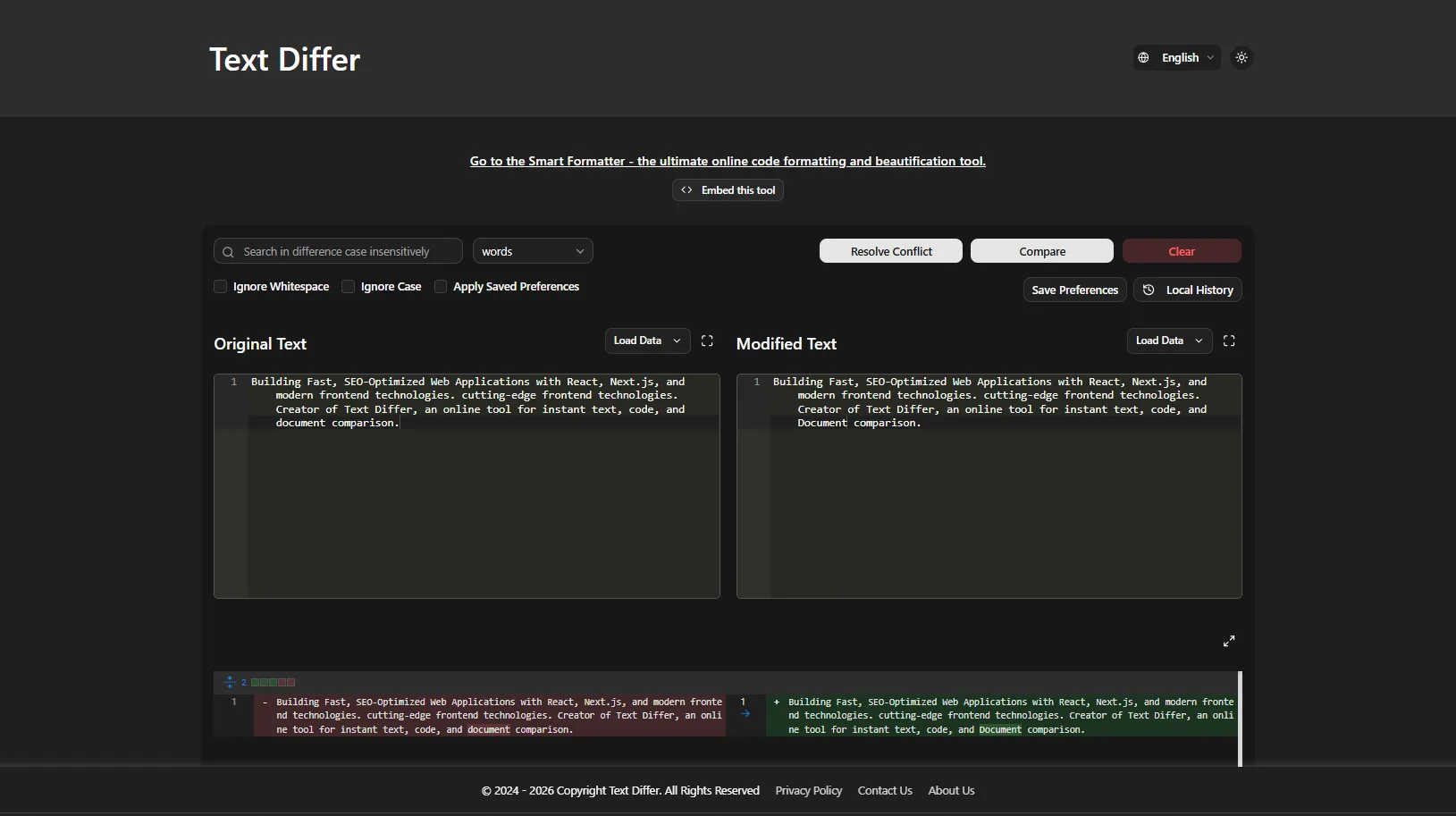
In the fast-paced world of content creation, editing, and digital marketing, accuracy is everything. Whether you're a blogger refining a draft, an SEO professional tracking content updates, a developer debugging code, or a student checking for accidental duplication, comparing two versions of text can be tedious and error-prone. Text Differ solves this problem instantly, giving you a clear, color-coded side-by-side comparison of any two text inputs—all within your browser .
What is Text Differ?
Text Differ is a free, browser-based text comparison tool that highlights additions, deletions, and modifications in real-time . It processes everything locally in your browser—meaning your text never leaves your device, ensuring complete privacy and security . No sign-ups, no downloads, no hidden costs.
Key Features That Make Text Differ Essential
Flexible Comparison Modes
Text Differ offers three comparison modes to suit different needs :
- Character-by-character: Pinpoint exact changes within lines—ideal for spotting typos
- Word-by-word: Track semantic modifications in articles and prose
- Line-by-line: Review structural differences in code and structured documents
Side-by-Side and Unified Views
Compare texts in parallel columns or a single unified view—perfect for editors, writers, and developers who need to see exactly what changed .
Smart Ignore Options
Focus on meaningful changes by toggling :
- Ignore whitespace differences
- Ignore case sensitivity
Advanced Comparison Capabilities
- Three-Way Merge View: Compare base, left, and right versions simultaneously—perfect for resolving content conflicts
- URL Comparison: Paste a link and Text Differ fetches and compares content from any public webpage
- File Upload & Drag-and-Drop: Compare files directly in your browser
Smart Formatter for Code & Data
Beyond text comparison, Text Differ includes a powerful Smart Formatter that beautifies, validates, and formats code and data :
- Multi-format support: JSON, HTML, CSS, SQL, JavaScript, and more
- Auto-detect code type—no manual selection required
- One-click beautify with proper indentation
- Error detection for syntax issues
- Download formatted files or copy to clipboard
Privacy-First Design
Text Differ processes everything locally in your browser. No data is uploaded to servers, making it completely secure for sensitive documents, contracts, or proprietary code .
Who Benefits from Text Differ?
Writers and Editors
Compare drafts, track editorial changes, and understand how content evolves. Editors can catch errors that might be missed during manual proofreading .
SEO Specialists
Text comparison is a powerful SEO technique. As industry experts note, you can use diff tools to analyze how competitors change their on-page content over time . This allows you to:
- Track content updates across website versions
- Ensure keyword consistency when refreshing posts
- Compare competitor content to identify gaps
- Detect duplicate or thin content issues
- Audit content before and after publication
Developers
Debug by comparing API responses, configuration files, generated HTML output, and translation files. The Smart Formatter makes minified code readable instantly .
Students and Academics
Check paraphrasing against source texts and avoid accidental duplication.
Professionals
Review contracts, legal documents, and business communications with precision.
How to Use Text Differ
- Paste or upload your first text (the "original")
- Paste or upload your second text (the "revised" version)
- Click "Compare"
- View color-coded results: red for removed text, green for added text
Get Started Today
Text Differ is 100% free—no sign-ups, no downloads, no hidden costs . Visit the website and see the difference for yourself.
Website: https://text-differ.com/