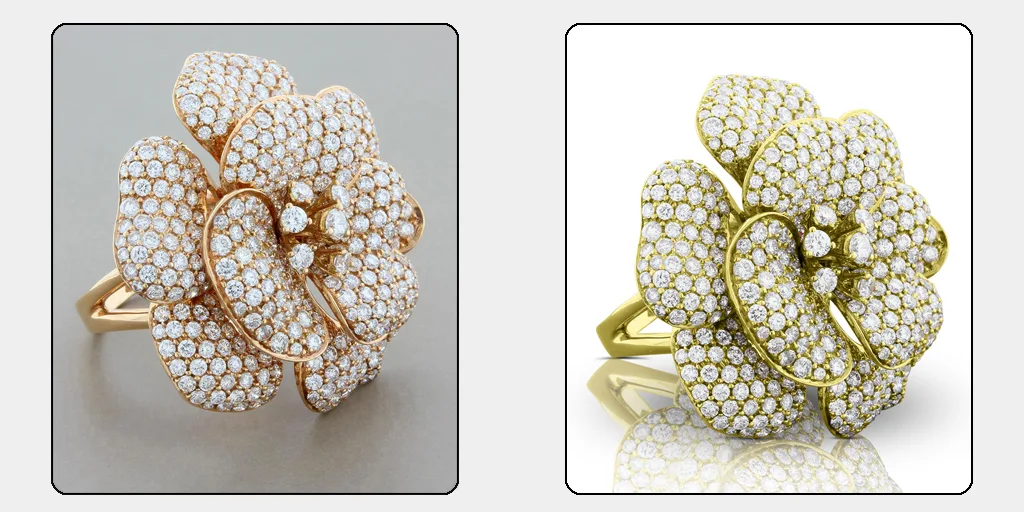
Online jewelry has a trust problem. A shopper can't hold the ring, so the photo has to do everything. If the diamond looks flawless online and arrives with visible inclusions, you get a return and a lost customer. If the gold looks pale yellow in one listing and orange in the next, the store looks sloppy.
Both failures are avoidable. Here are six common mistakes in jewelry product photography and retouching, and what to do about each.
1. Shooting without a color reference
Yellow, rose and white gold sit close together, and a slightly warm light is enough to blur them. If you shoot without a gray card or a physical swatch, nobody can say later what the "true" color was, including the retoucher.
Fix: Shoot a gray card at the start of every session and keep a reference image of the finished piece. Set a single metal-tone standard for your catalog, and apply it to every batch so a spring shoot and an autumn restock match.
2. Skipping the cleaning step
Fingerprints, dust and lint look invisible to the eye and glaring at full zoom. Every speck you leave becomes editing time on every frame of that piece.
Fix: Clean each piece with a microfiber cloth and use gloves or tweezers. Thirty seconds of cleaning saves far more time than removing the same dust from ten images.
3. Lighting with one hard source
A single bare light blows out the top of polished metal. Once highlights are fully clipped there is no detail left to recover, and a retoucher can only paint in a guess.
Fix: Use diffused light such as softboxes or a light tent, and add white cards to bounce fill into shadows. Shoot RAW so highlight data survives. You want bright metal with visible reflections, not blank white patches.
4. Not focus stacking
Rings with deep settings, long chains and watch bracelets can't be sharp from end to end in one frame. Part of the piece will always be soft, and shoppers who zoom will notice.
Fix: Take several frames at different focus points and merge them. Most photo editing software supports this, and it's the standard approach for macro product work.
5. Making stones look better than they are
This is the mistake that causes returns. Over-brightening, erasing every inclusion or inventing sparkle makes a stone look like a higher grade than it is. GIA's clarity scale exists because buyers compare what they see to the grade on the certificate.
Fix: Retouch dust in the setting and distracting reflections, but keep the real facets, real color and real character of the stone. A photo should survive a customer holding the stone under a loupe. Honest images build repeat buyers.
6. Over-smoothing the metal
Smoothing metal until it's perfectly flat makes it look like a 3D render. Brushed finishes, mill marks and hand-finished texture are part of the product's identity, and shoppers who zoom in can tell when they've been wiped out.
Fix: Remove dust, lint and scratches, but keep the grain and finish. If a piece is deliberately asymmetric or handmade, leave it that way.
When outsourcing makes sense
Retouching jewelry well takes 15 to 40 minutes per image, and consistency across hundreds of SKUs is harder than one good edit. In-house retouchers give you control, but capacity stops at one desk. AI presets are fast, but they often invent detail on stones and flatten metal tone.
If volume is your bottleneck, a specialized hand-finished jewelry retouching service can be worth testing. Whoever you choose, run a free or paid trial on your own files first, and agree a written spec for metal tone, sparkle level and background before the first full batch.
Marketplace basics
If you sell on Amazon, Etsy or Shopify, check each platform's image rules before you export. Amazon's main image, for example, requires a pure white background. A product that looks great on your own site can still get suppressed on a marketplace for a gray-ish backdrop.
The takeaway
Most jewelry photo problems are decided before editing starts. Shoot with a color reference, clean the piece, light it softly, stack your focus, and retouch to enhance reality, not replace it. Do that and your listings look premium, your catalog looks consistent, and returns drop.
Disclosure: The author has a business relationship with Clipp Out Line, the service linked above.