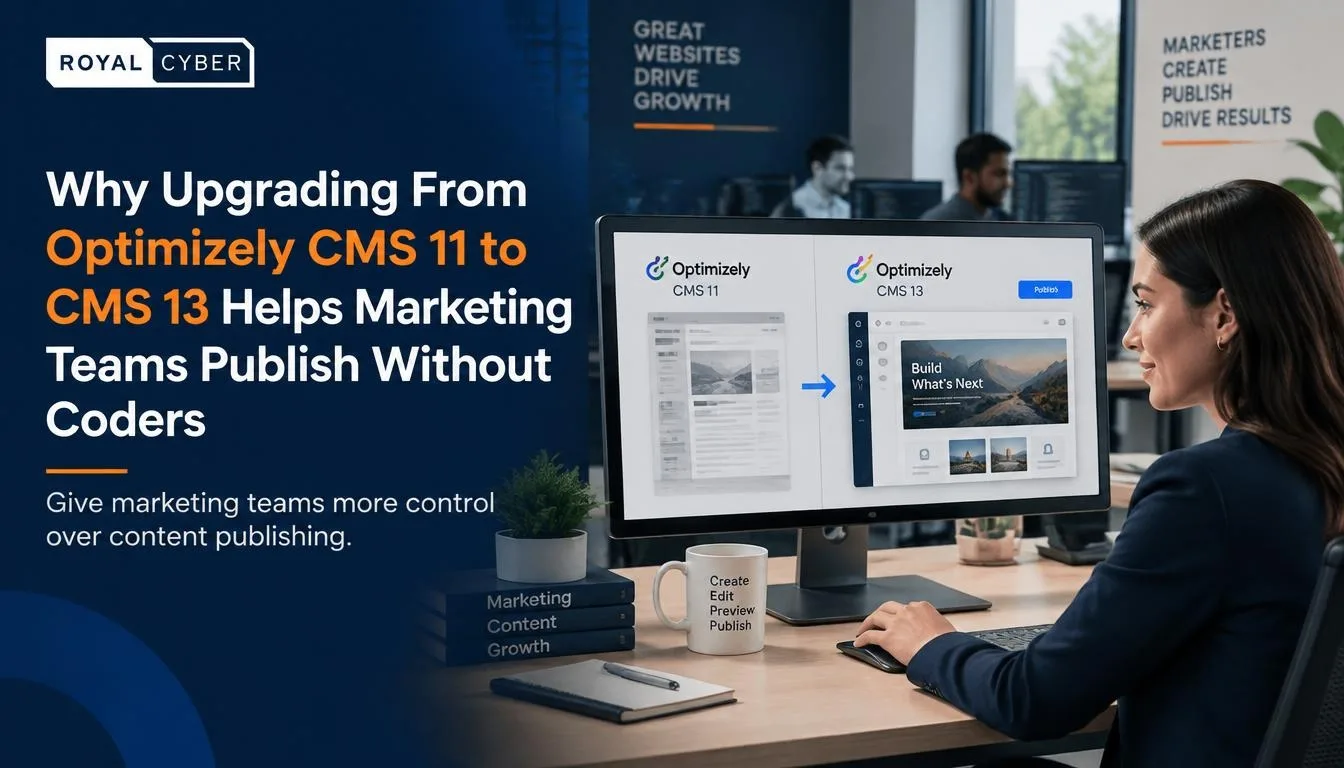
Upgrading from Optimizely CMS 11 to CMS 13 gives marketing teams a visual drag-and-drop page builder, stronger site security, and built-in AI search tools so they can launch campaigns without waiting on coders.
Many brands still run their websites on older CMS 11 setups. At first, those older platforms felt fine. Over time, however, simple tasks start dragging. Changing a page layout, adding a new promo section, or updating product links often requires a coder ticket. Meanwhile, teams searching for Optimizely CMS migration want a clear path forward. They need a safe move that protects search rankings and lets marketers work on their own after launch.
The Hidden Cost of Staying on Optimizely CMS 11
Running an aging platform costs more than just yearly license fees. It slows down your whole digital team:
- Heavy Coder Reliance: In older builds, editors often have to work around rigid page rules. When every new landing page needs custom code, marketing launches stall for weeks.
- Rising Upkeep Bills: Coders spend valuable hours patching old code and fixing plugin bugs. That leaves less time to build features that bring in new buyers.
- Slower Page Speeds and SEO Drops: Search engines reward fast, modern sites. Older setups struggle with page speed and miss newer search rules.
- Security and Support Risks: Old software faces more security threats and loses vendor updates over time.
What Changes for Marketers and Leaders in Optimizely CMS 13
Optimizely CMS 13 removes daily roadblocks for content editors while giving tech teams a clean, cloud-ready base.
1. Visual Builder for Drag-and-Drop Page Creation
CMS 13 includes Visual Builder, a single screen where editors can build, preview, and publish pages using drag-and-drop blocks. You see how a page looks on phones, tablets, and desktops before hitting publish. Marketing teams can launch sale pages in hours instead of waiting in a coder queue.
2. Built-In AI Search and Content Tools
Search is changing fast as buyers ask questions in AI tools alongside standard search bars. CMS 13 adds built-in AI search tools, structured Q&A fields, and Optimizely Graph search. These features help both search engines and AI answers understand your pages clearly.
3. Easy Links to Media, Sales Charts, and Store Tools
A modern content platform works best when it connects smoothly with your other business tools:
- Faster Media Uploads: Large marketing teams handle thousands of banners, product photos, and PDFs. Adding digital asset management automation tags and sizes files during bulk uploads so editors find assets fast.
- Live Store and Sales Views: For brands running online stores, a Power BI integration for Optimizely Commerce brings live order and stock charts right into your workspace.
- Safe AI Helper Links: Using an Optimizely MCP server lets your team link AI helpers safely to content and store workflows to speed up routine edits.
How Royal Cyber Makes the CMS 11 to CMS 13 Move Safer and Faster
Manual upgrades often fail when teams try to rewrite years of old code line by line. Based on Royal Cyber's Optimizely consulting practice, their certified specialists use an automated migration framework to cut manual work and protect live traffic:
- Early Code and Package Checks: Royal Cyber scans your current codebase before work starts. This catches broken links, old plugins, and database gaps early.
- Automated Upgrade Steps: Their tools automate repetitive code updates and test runs. That turns weeks of manual review into a much shorter timeline.
- Full SEO and URL Protection: Every old page link, meta tag, and redirect rule is mapped and tested before launch. You keep your hard-earned search traffic.
- Hands-On Editor Training: Before handoff, Royal Cyber trains your marketing staff on Visual Builder and reusable page blocks. Your team stays in control without vendor lock-in.
Five Steps to Plan Your Optimizely CMS 13 Upgrade for 2027
If you are budgeting for a platform upgrade in 2027, follow these five practical steps:
- Audit Old Plugins and Custom Code: List every third-party add-on and custom page block currently running on your CMS 11 site.
- Review Site Search Needs: Since legacy Search & Navigation is replaced in CMS 13, plan your move to Optimizely Graph early.
- Clean Up Unused Pages and Media: Archive outdated campaign pages and duplicate images before moving data to the new system.
- Test Against Real Production Data: Always run test moves on a copy of your live database to catch hidden field errors before launch day.
- Schedule Editor Training Before Launch: Give your content writers time to practice in Visual Builder so they can publish smoothly on day one.
Give Your Marketing Team Freedom to Grow
Upgrading from CMS 11 to CMS 13 is one of the smartest ways to cut upkeep costs, protect site security, and let your marketing team move at full speed. With automated code checks, strict SEO protection, and clear editor training, the move does not have to disrupt your business. Visit Royal Cyber's Optimizely consulting page to see how their certified specialists plan and deliver smooth CMS 13 upgrades.