A patient walks into an orthopedic clinic with a suspected wrist fracture. The front desk enters their details in one system. The X-ray gets saved in another. The radiologist writes findings in a third place, and the final report is typed up in a document that someone has to find, format and email.
Nothing here is broken, exactly. Every tool works on its own. The trouble is that none of them work together, and that gap quietly costs clinics time, accuracy and patience every day.
If this sounds familiar, you're not alone. Here is why it happens and what a connected setup looks like. Modern orthopedic imaging software is built to close exactly this gap.
Why the Systems Drift Apart
Most clinics didn't plan a fragmented setup. It grew over time:
- Tools were added one at a time. A scheduling tool here, an image archive there, a document template for reports.
- Each vendor solved one problem. Few of these products were designed to share data with the others.
- Workarounds became habits. Staff export, copy, rename and re-upload files because that's "how we've always done it."
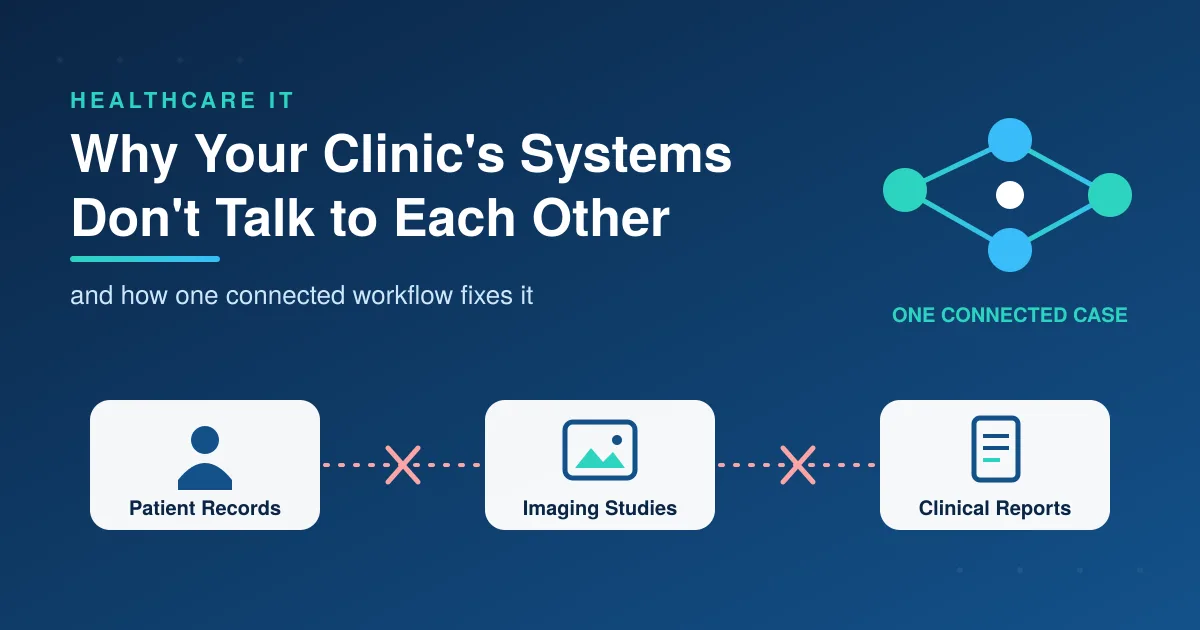
The result is a patchwork where the patient record, the imaging study and the clinical report each live in a separate place.
What Fragmentation Costs You
Re-entry and errors. Every time someone retypes a patient name, date of birth or case number, there's a chance of a typo. A mismatched ID can attach an image to the wrong record, which is a serious clinical risk, not just an annoyance.
Slow reporting. When findings, images and patient history aren't in one view, writing a report means hunting through multiple screens. Reports arrive later, and their structure varies from one clinician to the next.
Hard-to-find history. Comparing a new scan with an earlier one shouldn't require a scavenger hunt. When images are stored away from the case, follow-up care suffers.
Weak audit trails. If you can't easily see who opened, changed or exported a record, proving compliance with privacy rules gets difficult.
Staff frustration. Doctors, radiologists and administrators all lose time to administrative friction, time that belongs with patients.
What "Connected" Actually Looks Like
A joined-up system doesn't need to be exotic. It follows one simple idea: everything about a patient's care hangs off a single case. A healthy workflow runs in a clear sequence:
- Register the patient once, with their history stored centrally.
- Open a case that tracks the visit from start to finish.
- Attach imaging (X-rays or DICOM studies) directly to that case.
- Review findings alongside the images, in the same screen.
- Generate the report from the data already in the case, rather than starting from a blank page.
When the steps follow each other this way, nobody has to carry information between tools by hand.
The Features That Make the Difference
If you're evaluating a unified platform, look for these building blocks:
- A browser-based DICOM viewer, so clinicians can view studies without installing heavy software on every machine.
- Case-linked imaging, so a scan always lives with the right patient and visit.
- Role-based access, so doctors, radiologists, administrators and front-desk staff see what their job requires and nothing more.
- Structured report generation, with consistent sections for summary, findings, impression and recommendations, ideally exportable as a clean PDF.
- Activity logging, so you always know who did what, and when.
- Encryption and secure authentication, since patient data should be protected both in storage and in transit.
Some platforms also add AI assistance, such as flagging likely fractures for a clinician to review. That can speed up triage, but the foundation still matters most. A smart model sitting on top of disconnected systems just produces smart results that nobody can find.
How to Start Fixing It
You don't have to replace everything overnight. A practical path looks like this:
Map your current workflow. Write down every tool a single patient case touches and every point where someone copies or re-enters data. Those points are your biggest opportunities.
Name your biggest pain. Is it slow reports? Lost images? Compliance worries? Fix the loudest problem first.
Define roles clearly. Decide who needs to see and change what. Clear roles make both daily work and security simpler.
Choose a platform built around the case. Look for one that treats the patient, the imaging and the report as parts of one record, not separate products stitched together.
Pilot before you scale. Start with one team or one type of case, gather feedback, and expand once the workflow proves itself.
The Payoff
Clinics that bring these pieces together tend to feel it quickly: fewer clicks, steadier documentation, faster handoffs between clinicians, and a clearer picture of every case. Staff spend less time wrestling with software and more time on patient care.
If you'd like to see what this looks like in a real build, this AI-powered orthopedic imaging platform case study walks through a system that connects patient management, DICOM imaging and report generation in one workflow.